Switching carriers, activating service digitally, or traveling internationally has become much easier with eSIM technology, especially for iPhone users who want to avoid handling physical SIM cards.
Still, many buyers are unsure whether older premium models fully support eSIM features today.
The good news is that does iPhone 13 Pro Max have eSIM is an easy question to answer because Apple built full eSIM support directly into the device. The iPhone 13 Pro Max can use both physical SIM and eSIM functionality, including dual-line support for many carriers and regions.
1. Does iPhone 13 Pro Max Have eSIM?
Yes, the iPhone 13 Pro Max fully supports eSIM technology alongside physical SIM functionality. Apple designed the device to work with both a traditional nano-SIM card and digital eSIM activation, allowing users to connect to carriers without inserting a physical card manually.
Depending on the region and carrier, the iPhone 13 Pro Max can support:
- One physical nano-SIM + one eSIM active at the same time
- Dual eSIM functionality on supported iOS versions
- Multiple stored eSIM profiles for switching carriers more easily
For U.S. and international models, eSIM support is built directly into the phone hardware, making digital activation available through compatible wireless carriers.
For those wanting to know “does iPhone 13 Pro Max have eSIM”, the biggest advantage is the ability to activate service quickly without waiting for a physical SIM card shipment.
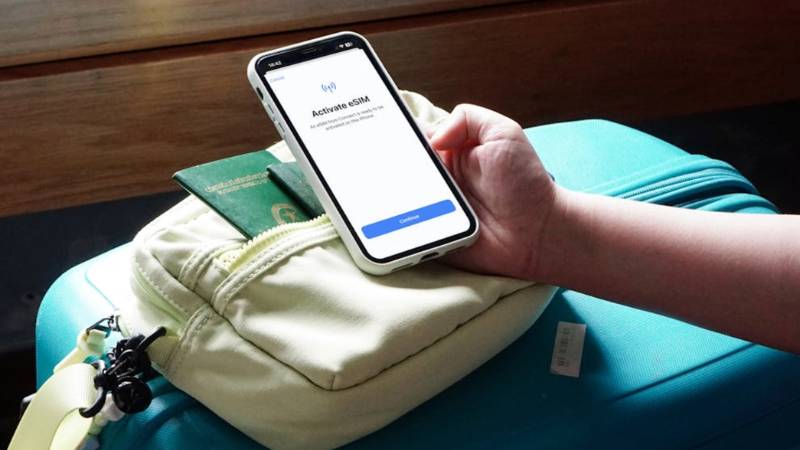
2. How to Add eSIM to iPhone 13 Pro Max in Under 5 Minutes
Most eSIM activations only take a few minutes when the carrier supports digital setup properly.
Step 1: Connect to Wi-Fi
Before starting eSIM activation:
- Connect the iPhone to a stable Wi-Fi network
- Make sure iOS is updated if possible
- Verify the carrier supports eSIM on iPhone 13 Pro Max
A stable internet connection helps the activation process complete more smoothly.
Step 2: Open Cellular Settings to Start eSIM Setup
To begin activation:
- Open Settings
- Tap Cellular
- Select Add eSIM
The phone will then prompt for the carrier activation method.
Step 3: Scan the Carrier QR Code
Many carriers provide:
- QR activation codes
- Carrier apps
- Manual activation details
To activate through QR code:
- Scan the code using the iPhone camera
- Follow the on-screen instructions
- Confirm the cellular plan installation
Some carriers also support automatic eSIM transfer directly from another iPhone.
Step 4: Confirm Activation and Restart
After setup finishes:
- Confirm the cellular plan appears inside settings
- Restart the iPhone if requested
- Test calls, texts, and mobile data
Once activation completes successfully, the eSIM should function like a normal physical SIM line.
Read more: Does iPhone 14 Have eSIM? Everything You Should Know About Its SIM Support (2026)
3. eSIM vs Physical SIM on iPhone 13 Pro Max: Which Should You Use?
Both eSIM and physical SIM cards work well on the iPhone 13 Pro Max, but each option fits different situations better.
When eSIM Wins (Faster Setup, No Card Loss)
eSIM offers several convenience advantages, including:
- Faster carrier activation
- No physical SIM tray handling
- Easier switching between carriers
- Reduced risk of losing SIM cards
- Simpler international setup on supported carriers
For many users asking does iPhone 13 Pro Max have eSIM, the appeal comes from activating service digitally within minutes instead of waiting for physical cards.
When a Physical SIM Still Makes Sense (Prepaid, Travel)
Physical SIM cards may still work better in situations involving:
- Certain prepaid carriers
- Older international networks
- Frequent SIM swapping between phones
- Areas with limited eSIM carrier support
Some travelers still prefer physical SIM cards because they remain widely supported globally.
Running Both at the Same Time
The iPhone 13 Pro Max supports dual-line functionality, allowing users to run:
- One physical SIM + one eSIM
- Two eSIMs on supported iOS versions and carriers
This can be useful for:
- Work and personal numbers
- International travel
- Separate data and voice plans
- Carrier backup coverage
Users can also choose which line handles calls, texts, or mobile data directly inside iPhone settings.
4. Common eSIM Issues on iPhone 13 Pro Max
Activation problems can happen depending on the carrier, network support, or setup process itself.
eSIM Not Downloading
Sometimes the eSIM profile refuses to install completely during activation.
Common causes include:
- Weak Wi-Fi connection
- Carrier activation delays
- Outdated iOS version
- QR code errors
- Carrier compatibility problems
Restarting the phone and reconnecting to Wi-Fi often resolves temporary download issues.
No Service After Activation
In some situations, the eSIM activates successfully but the phone still shows:
- No Service
- Searching
- SOS Only
Possible fixes may include:
- Restarting the iPhone
- Toggling Airplane Mode
- Rechecking cellular settings
- Updating carrier settings
- Contacting the wireless provider
Carrier provisioning problems sometimes take additional time before the network fully activates.
“Carrier Not Supported” Error
This error usually appears when:
- The carrier does not support eSIM
- The phone is carrier locked
- The activation profile is incompatible
- Regional limitations exist
Before activating digitally, users should verify that both the carrier and iPhone model support eSIM service properly.
5. Want Free Monthly Service for Your iPhone 13 Pro Max?
One reason many people look into eSIM support is the flexibility to activate lower-cost or digital-first phone plans more quickly without constantly swapping physical SIM cards.
Eligible households may also qualify for Lifeline-supported wireless service, depending on income eligibility or participation in programs such as:
- Medicaid
- SNAP
- SSI
- Federal Public Housing Assistance
- Veterans Pension benefits
AirTalk Wireless is one participating Lifeline provider in supported areas. Qualified users may receive:
- Free monthly talk
- Free text
- Free data plans
- Compatible phone options depending on availability
For users who already own compatible devices, eSIM support may also make activation more convenient on supported plans.
Do note that device prices may vary depending on availability, location, and time of application.
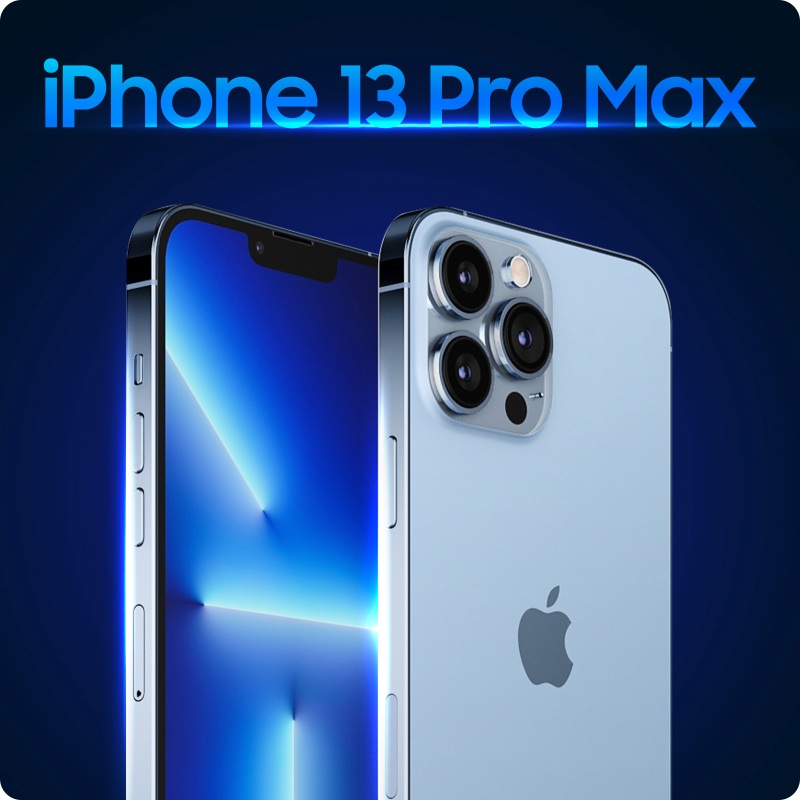
6. FAQS
Does the iPhone 13 Pro Max Have eSIM?
Yes. The iPhone 13 Pro Max fully supports eSIM functionality alongside physical nano-SIM support. Users can activate compatible carrier plans digitally without needing a physical SIM card installed.
Can iPhone 13 Pro Max Use Dual SIM?
Yes. The device supports:
- One physical SIM + one eSIM
- Dual eSIM support on compatible iOS versions and carriers
Can You Convert a Physical SIM to eSIM on iPhone 13 Pro Max?
Some carriers allow physical SIM conversion directly through iPhone cellular settings or carrier apps.
Does eSIM Work Internationally on iPhone 13 Pro Max?
Yes, many international carriers support eSIM activation, although availability varies depending on the region and provider.
7. Conclusion
The answer to does iPhone 13 Pro Max have eSIM is clearly yes. Apple built full eSIM functionality into the device, allowing users to activate compatible cellular plans digitally while still supporting dual-line functionality with physical SIM options.
For many users, eSIM makes switching carriers, managing travel plans, and activating service much faster and more convenient without handling traditional SIM cards manually.