A smaller phone no longer means giving up newer connectivity features. Even though the iPhone 13 Mini has a compact design, it still supports many of the same wireless capabilities found in Apple’s larger premium models.
For users wondering does iPhone 13 Mini have eSIM, the answer is yes. The device supports both eSIM and physical nano-SIM functionality, allowing users to activate compatible plans digitally, run dual lines, and switch carriers more flexibly without relying only on a physical SIM card.
1. Does iPhone 13 Mini Have eSIM or Physical SIM?
The iPhone 13 Mini supports both eSIM and physical SIM functionality. Apple built the device with a physical nano-SIM tray while also including full eSIM capability for compatible carriers.
Depending on carrier support and region, the iPhone 13 Mini can handle:
- One physical nano-SIM
- One active eSIM
- Dual SIM functionality
- Multiple stored eSIM profiles
This allows users to switch plans more easily without removing physical SIM cards constantly.
For people asking whether the iPhone 13 Mini supports modern connectivity features despite its smaller size, Apple gave it essentially the same eSIM functionality found in the larger iPhone 13 models.
2. Real-Life Situations Where eSIM on iPhone 13 Mini Helps
Add sub iphone 13 mini esim
One reason many users like the iPhone 13 Mini eSIM setup is the flexibility it provides in everyday situations without needing to swap physical SIM cards repeatedly.
Keeping Work and Personal Numbers Separate
Dual SIM support allows users to keep:
- One number for work
- One number for personal use
on the same device.
This helps avoid carrying two phones while still separating calls, messages, and data usage.
Traveling Without Buying a Local SIM
eSIM can simplify international travel because many carriers now offer:
- Digital travel plans
- Temporary data packages
- Instant activation abroad
Instead of searching for local SIM cards physically, travelers can often activate compatible plans directly through apps or QR codes.
Adding a Backup Carrier for Better Coverage
Some users keep a second carrier active for:
- Rural coverage gaps
- Emergency backup service
- More reliable data speeds
- Travel flexibility
The iPhone 13 Mini supports switching between lines directly in iOS settings.
Pairing with Budget or Government-Supported Plans
eSIM support can also make lower-cost wireless activation more convenient on compatible carriers.
Some eligible households may qualify for Lifeline-supported service through participating providers depending on program eligibility or income requirements.
For users who already own compatible devices, digital activation may simplify setup without waiting for physical SIM shipments.
3. How to Set Up eSIM on iPhone 13 Mini
Most eSIM activations only take a few minutes when the carrier supports digital setup properly.
Use a Carrier QR Code
Many carriers provide a QR code for activation.
To activate:
- Open Settings
- Tap Cellular
- Select Add eSIM
- Scan the QR code
- Follow the on-screen setup instructions
A stable Wi-Fi connection is usually required during activation.
Download a Plan Through the Carrier App
Some wireless providers support direct activation through their apps instead of QR codes.
This may allow users to:
- Purchase plans
- Transfer existing service
- Activate eSIM instantly
- Manage multiple lines
directly from the iPhone itself.
Label Your Lines to Stay Organized
After activation, iOS allows users to label each line for easier management.
Popular labels include:
- Personal
- Work
- Travel
- Data
- Secondary
These labels help organize calls, messages, and mobile data preferences more clearly when using dual SIM functionality.
4. Common Issues When Setting Up eSIM on iPhone 13 Mini
Even though eSIM activation is usually quick, setup problems can still happen depending on the carrier, network support, or iOS settings.
eSIM Activation Stuck
Sometimes the activation process freezes while downloading or installing the eSIM profile.
Common reasons include:
- Weak Wi-Fi connection
- Carrier server delays
- Incomplete activation request
- Outdated iOS version
Restarting the phone, reconnecting to Wi-Fi, or rescanning the QR code often fixes temporary setup issues.
No Cellular Signal After Setup
In some cases, the eSIM installs successfully but the phone still shows:
- No Service
- Searching
- SOS Only
Possible fixes may include:
- Turning Airplane Mode on and off
- Restarting the iPhone
- Updating carrier settings
- Verifying the line is enabled inside Cellular settings
- Contacting the carrier to confirm provisioning finished correctly
Most of these problems are carrier-side activation delays rather than hardware issues.
Lost eSIM After iOS Update
Occasionally, users report missing cellular plans after a major iOS update or device reset.
Before resetting the phone:
- Confirm whether the carrier allows eSIM re-downloads
- Back up important information
- Save carrier activation details if possible
For anyone using the iPhone 13 Mini as their primary device, keeping carrier account access ready makes restoring eSIM service much easier if issues appear later.
Read more: Does iPhone 14 Have a SIM Card? How to Check Your Model Easily
5. Looking for an Easy Way to Get Free Service on a Compact iPhone?
One underrated advantage of the iPhone 13 Mini is that it still supports modern carrier features without forcing users into oversized phones or expensive flagship upgrades.
The device remains powerful enough for daily use while also working with many newer digital activation systems, including compatible eSIM plans.
That flexibility becomes especially useful for people trying to reduce monthly phone costs.
Instead of buying a brand-new device tied to a costly contract, many users keep their iPhone 13 Mini and look for lower-cost service options that still support:
- Unlimited talk and text
- Data access
- eSIM activation
- Bring-your-own-phone compatibility
For eligible households, Lifeline-supported service may also help reduce or completely eliminate monthly wireless bills depending on qualification status.
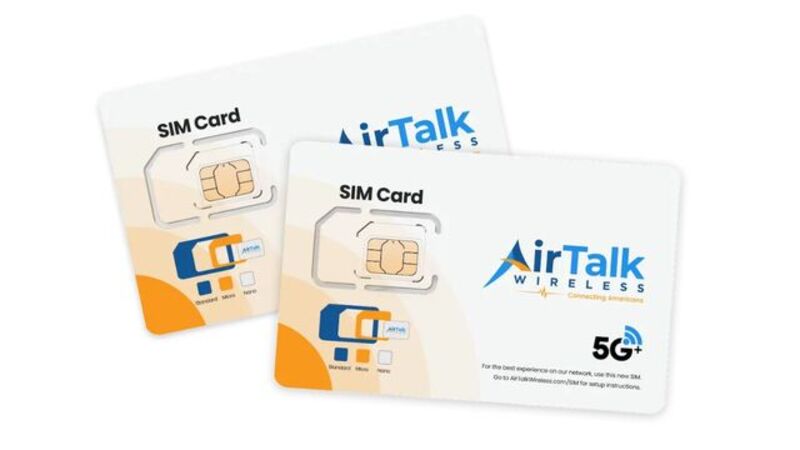
AirTalk Wireless is one participating Lifeline provider that allows many users to keep using compatible devices they already own instead of switching phones entirely.
That can be especially helpful for people who prefer compact iPhones and do not want to move to larger models simply to stay connected affordably.
In many cases, the setup process may involve:
- Checking eligibility
- Verifying device compatibility
- Choosing a compatible plan
- Activating service digitally or through SIM delivery
For users already comfortable with eSIM, the activation process can often feel much faster and more convenient than older carrier setup methods.
6. FAQS
Can iPhone 13 Mini Use Dual SIM?
Yes. Users can run one physical SIM and one eSIM simultaneously, and some supported setups also allow dual eSIM functionality.
Is eSIM Better Than a Physical SIM on iPhone 13 Mini?
It depends on the situation. eSIM offers faster digital activation and easier carrier switching, while physical SIM cards may still be useful for certain travel or prepaid situations.
Can You Use eSIM Without Removing the Physical SIM?
Yes. The iPhone 13 Mini supports using both at the same time for dual-line functionality.
Conclusion
The answer to does iPhone 13 Mini have eSIM is clearly yes. Apple included full eSIM functionality in the device while still supporting physical nano-SIM cards and dual-line connectivity.
For users who want a smaller iPhone without giving up modern carrier flexibility, the iPhone 13 Mini remains one of the strongest compact options available for digital activation, travel, dual SIM usage, and lower-cost wireless plans.