eSIM has become a standard feature on newer iPhones, especially as carriers continue moving toward faster digital activation and dual-line setups. That shift has also created confusion around older Apple devices that still rely entirely on traditional SIM cards.
Questions about does iPhone 8 have eSIM usually come up when switching carriers, trying to activate digital service, or comparing older iPhones with newer models that support dual SIM functionality.
Before attempting setup changes or upgrading devices, it helps to understand exactly where the iPhone 8 stands in Apple’s eSIM timeline.
1. Does iPhone 8 Have eSIM?
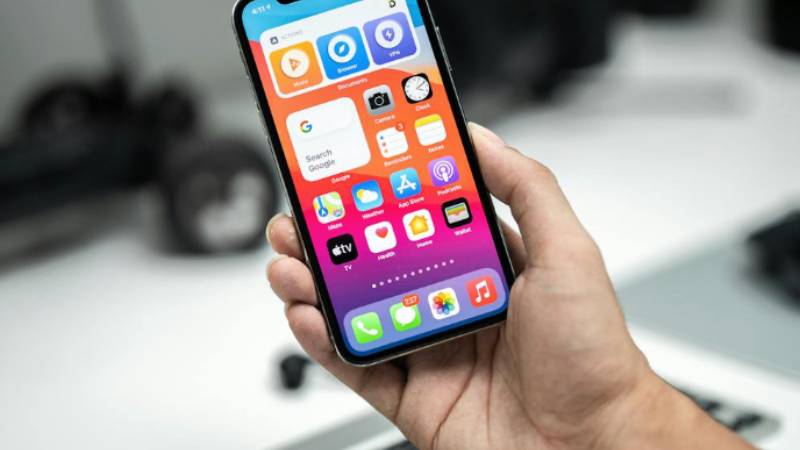
No, the iPhone 8 does not support eSIM functionality. Apple had not introduced eSIM technology yet when the iPhone 8 lineup was released, so the device relies entirely on a physical nano-SIM card for cellular activation.
That means the iPhone 8 does not support:
- Dual SIM through eSIM
- Digital carrier activation
- Multiple stored eSIM profiles
- eSIM transfer between iPhones
Instead, all carrier service on the iPhone 8 must activate through a traditional removable nano-SIM card.
2. Why iPhone 8 Doesn’t Support eSIM
The iPhone 8 launched before Apple began transitioning toward digital SIM technology.
At that time, most wireless carriers worldwide still depended heavily on physical SIM cards, so Apple continued using the traditional single nano-SIM setup without adding embedded SIM hardware.
eSIM support officially started later with:
- iPhone XS
- iPhone XS Max
- iPhone XR
Those models introduced Apple’s first dual SIM functionality by combining a physical nano-SIM tray with built-in eSIM support.
Because the iPhone 8 lacks the internal eSIM chip entirely, software updates alone cannot add eSIM compatibility later.
3. Which iPhones Are eSIM Only or eSIM Compatible?
Apple gradually expanded eSIM support across newer iPhone generations after the iPhone 8.
Key eSIM-Compatible iPhone Models (XS and Later)
The following iPhone models support eSIM functionality:
- iPhone XS
- iPhone XS Max
- iPhone XR
- iPhone 11 lineup
- iPhone 12 lineup
- iPhone 13 lineup
- iPhone 14 lineup
- iPhone 15 lineup
Most of these devices support:
- Dual SIM functionality
- Nano-SIM + eSIM setups
- Multiple stored eSIM profiles
Newer models also support dual active eSIM in certain configurations.
eSIM-Only Models (iPhone 14 and 15 U.S. Versions)
Apple pushed further toward digital activation with U.S. versions of:
- iPhone 14
- iPhone 15
These models removed the physical SIM tray entirely in the United States and rely only on eSIM for carrier activation.
International versions may still include physical nano-SIM support depending on the region.
Important Things to Know Before Upgrading
Before moving from an iPhone 8 to a newer eSIM-compatible device, it helps to check:
- Carrier eSIM support
- Device unlock status
- Regional model differences
- Transfer compatibility for the current number
Not every carrier handles eSIM activation the same way, especially for prepaid or older plans.
4. How to Use Your iPhone 8 Without eSIM
Even without eSIM support, the iPhone 8 can still work reliably with many modern carrier plans through traditional SIM activation methods.
Activate a Standard Nano-SIM Plan
The iPhone 8 uses a standard nano-SIM card inserted through the physical SIM tray on the side of the device.
Most compatible carriers still support:
- Physical SIM activation
- Prepaid plans
- Standard voice and data service
- Nationwide LTE coverage
As long as the phone remains unlocked and carrier-compatible, setup is usually straightforward.
Use Wi-Fi Calling Where Cellular Falls Short
Wi-Fi Calling can help improve communication quality in areas with weak cellular reception.
When enabled through supported carriers, the iPhone 8 may allow:
- Calls over Wi-Fi
- Text messaging over Wi-Fi
- Better indoor coverage
- More stable calling in low-signal areas
This can help extend the phone’s usability even without newer eSIM features.
Read more: Does iPhone 14 Have a SIM Card? How to Check Your Model Easily
5. Stuck With an Aging iPhone 8? Upgrade for Free
The iPhone 8 can still handle basic calls, texting, and apps, but the lack of eSIM support becomes more noticeable as carriers continue shifting toward digital activation and dual-line flexibility. Older hardware, shorter battery life, and limited future iOS support also make upgrading more practical for many households.
Instead of paying full retail pricing for a newer iPhone, some qualifying households may be able to move to a more modern device through Lifeline-supported service programs.
About AirTalk Wireless & Lifeline Services
AirTalk Wireless is a participating Lifeline provider that helps eligible households access lower-cost wireless service on compatible nationwide networks.
The Lifeline program itself is a federal assistance program designed to make communication services more affordable for qualifying low-income households.
Depending on eligibility and local availability, service may include:
- Monthly talk
- Text messaging
- Mobile data
- Bring Your Own Device support
- Compatible SIM and eSIM activation options on supported phones
Because newer iPhones support eSIM functionality, upgrading from an iPhone 8 may also unlock easier carrier switching and dual-line setup options.
Free Devices and Services Included
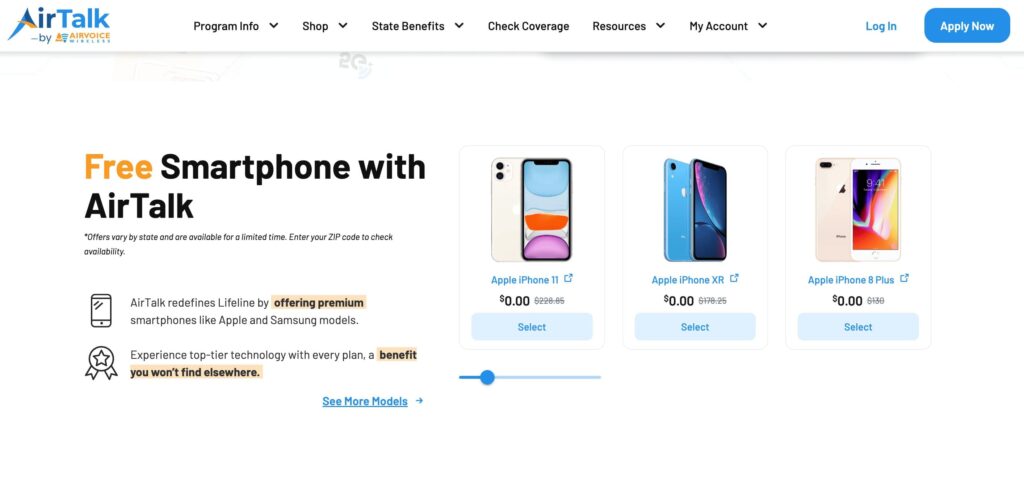
Depending on inventory and qualification status, AirTalk may offer free or discounted smartphones separate from the standard Lifeline service itself.
Available devices can vary, but may sometimes include:
- iPhone XR
- iPhone 11
- iPhone SE models
- Samsung Galaxy devices
Compatible plans may also support either:
- Physical SIM activation
- eSIM setup on supported devices
That flexibility makes upgrading from the iPhone 8 much easier without needing to pay flagship-level pricing.
How to Apply for a Free Phone
The process usually starts online and only takes a few basic steps.
Applications typically involve:
- Entering a ZIP code to check local availability
- Completing the online application form
- Uploading proof of eligibility if verification is requested
- Selecting a compatible device or Bring Your Own Device option
- Activating service after approval
Qualification may happen through either income eligibility or participation in approved programs such as Medicaid, SNAP, SSI, or Federal Public Housing Assistance.
6. FAQS
Can the iPhone 8 Use Dual SIM?
No. The iPhone 8 only supports one physical nano-SIM card and does not support dual SIM functionality.
Can Software Updates Add eSIM to iPhone 8?
No. The iPhone 8 does not contain the internal eSIM hardware required for digital SIM activation.
What Is the Oldest iPhone That Supports eSIM?
Apple first introduced eSIM support on the iPhone XS, iPhone XS Max, and iPhone XR.
Will Carriers Still Support the iPhone 8 in 2026?
Many carriers still support the iPhone 8 for LTE service, although future compatibility may become more limited over time compared to newer devices with eSIM and updated network support.
7. Conclusion
The iPhone 8 still works for basic cellular service, but it belongs to the last iPhone generation released before Apple introduced eSIM functionality.
That makes does iPhone 8 have eSIM an important limitation to understand before switching carriers or exploring newer digital activation methods. Anyone planning to use dual SIM features, eSIM-only carriers, or easier digital setup will likely need a newer iPhone model that supports embedded SIM technology.