The iPhone 13 arrived during Apple’s transition toward eSIM technology, which is why its SIM setup looks different from both older iPhones and newer U.S. iPhone models. Some users still expect only a physical SIM tray, while others assume Apple already removed it completely.
The good news is that does iPhone 13 have a SIM card has a fairly straightforward answer. The entire iPhone 13 lineup still supports a physical nano-SIM card while also offering eSIM compatibility for digital activation and dual-line use.
1. Does iPhone 13 Have a SIM Card?
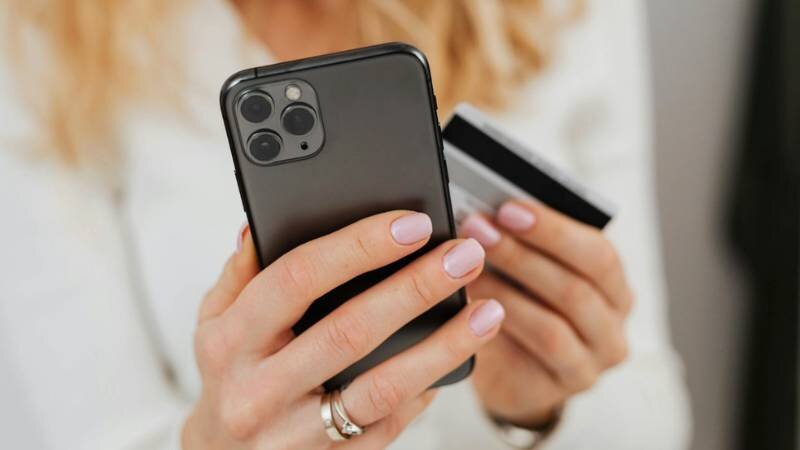
Yes. The iPhone 13 lineup includes a physical SIM card tray and also supports eSIM activation.
For users searching does iPhone 13 have a SIM card, all standard iPhone 13 models support:
- Physical nano-SIM
- eSIM
- Dual SIM functionality
This applies to:
- iPhone 13
- iPhone 13 mini
- iPhone 13 Pro
- iPhone 13 Pro Max
What SIM Size iPhone 13 Accepts (Nano-SIM Only)
The iPhone 13 uses a nano-SIM card, which is currently the standard SIM size used by most modern smartphones.
Older SIM sizes such as:
- Micro-SIM
- Standard SIM
will not fit properly without adapters or replacement SIM cards from the carrier.
2. Where Is the SIM Card Slot on iPhone 13?
Unlike newer U.S. iPhone 14 and iPhone 15 models, the iPhone 13 still includes a physical SIM tray built directly into the device.
Location on the Right Side of the Device
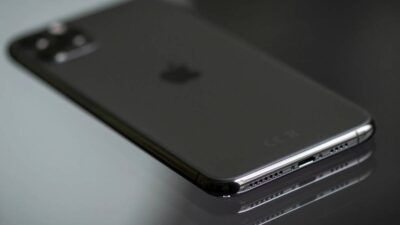
The SIM tray is located on the lower-right side of the iPhone 13 frame when looking at the screen.
The tray contains:
- One nano-SIM slot
- A small pinhole for ejecting the tray
The design looks similar across the full iPhone 13 lineup.
The Tools You Need to Open It
To remove the SIM tray safely, users typically need:
- Apple SIM ejector tool
- Small paperclip
- SIM pin tool
To open it:
- Insert the tool gently into the pinhole
- Apply light pressure
- Pull the tray out carefully
Avoid forcing the tray because excessive pressure may damage the mechanism.
3. How to Insert or Activate a SIM on iPhone 13
The iPhone 13 supports both traditional physical SIM cards and digital eSIM activation methods.
Physical SIM
Inserting the Nano-SIM
To install a physical SIM card:
- Power off the iPhone if preferred
- Remove the SIM tray carefully
- Place the nano-SIM into the tray
- Reinsert the tray fully
- Turn the iPhone back on
Once inserted, the carrier signal should appear automatically if the SIM is active.
eSIM
Digital Activation via QR Code
The iPhone 13 also supports eSIM activation without needing a physical card.
Many carriers activate eSIM using:
- QR codes
- Carrier apps
- Automatic transfer tools
After scanning the QR code, the iPhone downloads the eSIM profile digitally.
Activating Through Settings
Users can also activate eSIM manually through the Settings app.
To begin:
- Open Settings
- Tap Cellular
- Select Add eSIM
From there, the iPhone guides users through the carrier activation process depending on the available setup method.
4. Can iPhone 13 Use Two Lines at the Same Time?
Yes. The iPhone 13 supports dual SIM functionality, which means users can keep two phone numbers active on the same device at the same time.
This is useful for:
- Work and personal numbers
- International travel
- Separate data and calling plans
- Switching between carriers more easily
Nano-SIM + eSIM Dual Setup
The most common dual-line setup on iPhone 13 combines:
- One physical nano-SIM
- One eSIM
To set it up:
- Insert the physical nano-SIM into the SIM tray
- Open Settings
- Tap Cellular
- Select Add eSIM
- Scan the carrier QR code or complete carrier activation
Once both lines are active, users can:
- Choose a default voice line
- Select which line handles mobile data
- Switch lines inside Cellular settings
The iPhone labels each line separately to make management easier.
Dual eSIM with iOS 16 or Later
With iOS 16 and newer versions, iPhone 13 can also support dual active eSIM profiles without needing a physical SIM card installed.
This setup works well for:
- Frequent travelers
- International eSIM plans
- Carrier switching without removing SIM cards
Carrier support still matters, since not all providers support dual eSIM activation equally.
Read more: Can I Use an eSIM on a Locked Phone? Here’s What Really Happens (2026)
5. Use Your iPhone 13 Without Paying for an Expensive Plan
One reason the iPhone 13 remains popular is flexibility. Since the phone supports both nano-SIM and eSIM, users have more carrier options compared to newer U.S. iPhones that rely entirely on eSIM activation.
That flexibility can help people avoid getting locked into expensive monthly wireless plans unnecessarily.
Some households participating in programs such as Medicaid, SNAP, SSI, Federal Public Housing Assistance, or Veterans Pension benefits may also qualify for Lifeline-supported phone service depending on eligibility requirements.
Lifeline is a federal assistance program that helps eligible low-income households receive more affordable wireless service through participating providers.
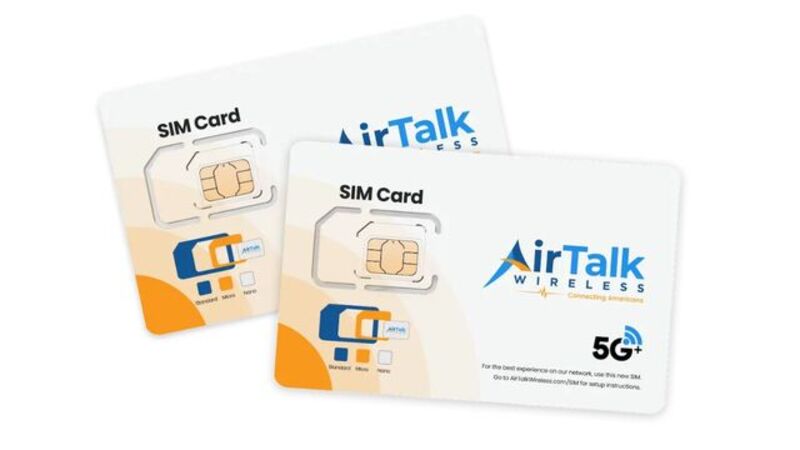
AirTalk Wireless is one provider participating in the Lifeline program in supported areas. Eligible users may receive:
- Free monthly talk, text, and data
- Compatible smartphone options
- Physical SIM or eSIM activation support
- Bring Your Own Device compatibility in some cases
For iPhone 13 users who already own the device, the process is usually straightforward.
Typical setup steps may include:
- Check Lifeline eligibility
- Enter a ZIP code on the AirTalk Wireless website
- Choose a compatible plan
- Select physical SIM or eSIM activation if available
- Complete the application process
- Activate service on the iPhone 13
Because the iPhone 13 supports both SIM methods, activation is often easier for users who prefer traditional physical SIM cards while still wanting eSIM flexibility later.
6. FAQS
Does an iPhone 13 Have a SIM Card?
Yes. All iPhone 13 models include a physical nano-SIM tray and also support eSIM functionality.
Does iPhone 13 Pro Have a SIM Card?
Yes. The iPhone 13 Pro supports both a physical nano-SIM card and eSIM activation for dual SIM functionality.
Can iPhone 13 Use eSIM Only?
Yes. iPhone 13 can operate entirely on eSIM without inserting a physical SIM card if the carrier supports eSIM activation.
What Type of SIM Card Does iPhone 13 Use?
The iPhone 13 uses a nano-SIM card, which is the standard SIM size for most modern smartphones.
7. Conclusion
The answer to does iPhone 13 have a SIM card is yes. Unlike newer U.S. iPhone models that moved fully to eSIM, the iPhone 13 lineup still includes a physical nano-SIM tray while also supporting eSIM activation and dual-line functionality.
That combination gives users more flexibility when switching carriers, traveling internationally, or choosing between physical SIM and eSIM activation methods.