Apple changed the SIM setup on the iPhone 14 series more than many users expected. Some models completely removed the physical SIM tray, while others still support traditional nano-SIM cards together with digital activation.
Those regional differences are one reason so many users ask does iPhone 14 have eSIM before switching carriers, transferring service, or buying a device internationally.
1. Does iPhone 14 Have eSIM?
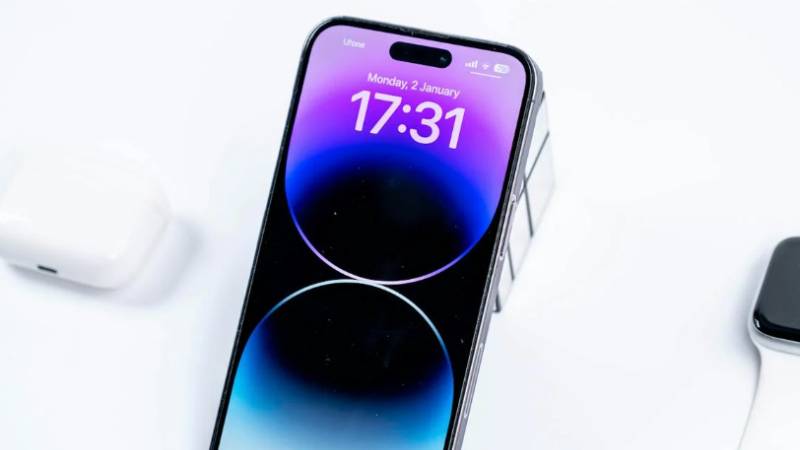
Yes. Every iPhone 14 model supports eSIM technology, regardless of the region where the device was sold.
Apple designed the entire iPhone 14 lineup to work with digital SIM activation, allowing users to activate cellular service without relying only on physical SIM cards.
For users asking does iPhone 14 have eSIM, the important difference is not whether eSIM exists, but how each regional version handles physical SIM support.
Depending on the model, the iPhone 14 may support:
- eSIM only
- eSIM + physical nano-SIM
- Dual eSIM functionality
- Multiple stored eSIM profiles
This setup allows users to:
- Activate service digitally
- Switch carriers more easily
- Use dual lines
- Add travel plans without swapping SIM cards
However, physical SIM tray availability still depends heavily on the device region.
2. Which iPhone 14 Models Are eSIM-Only
Apple released different iPhone 14 hardware versions worldwide, which is why SIM configurations vary between countries.
U.S. Models: eSIM Only (No Physical Tray)
iPhone 14 models sold in the United States do not include a physical SIM card slot.
These devices rely entirely on:
- eSIM activation
- Digital carrier setup
- QR code activation
- Carrier app provisioning
Because there is no SIM tray, users cannot insert traditional nano-SIM cards into U.S. iPhone 14 versions.
These models commonly support:
- Dual active eSIM lines
- Multiple stored eSIM profiles
- Faster carrier switching without physical cards
This design also gives Apple more internal hardware space while pushing users toward digital activation systems.
International Models: eSIM + Physical Nano-SIM
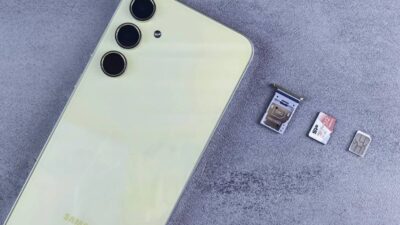
Many international iPhone 14 versions still include a physical nano-SIM tray together with eSIM support.
These models commonly allow:
- One physical nano-SIM
- One or more eSIM profiles
- Dual SIM functionality
This setup can be useful for:
- International travel
- Local prepaid SIM cards
- Business and personal numbers
- Easier carrier transitions
Because regional hardware differs, two iPhone 14 devices may look almost identical externally while supporting completely different SIM configurations internally.
Read more: Lifeline Free iPhone: How to Qualify and Get the Best Deals (2026)
3. Can You Use Both eSIM and Physical SIM on iPhone 14?
The answer depends on which iPhone 14 version you own.
International iPhone 14 models usually support both:
- One physical nano-SIM
- One active eSIM
This allows users to run dual SIM functionality at the same time. Many people use this setup to separate:
- Work and personal numbers
- Local and travel plans
- Data and voice lines
For users still wondering does iPhone 14 have eSIM, international models provide the most flexibility because they combine both digital and physical SIM support together.
U.S. iPhone 14 versions work differently because they do not include a physical SIM tray at all.
Instead, these models rely entirely on eSIM technology and can support dual active eSIM lines simultaneously.
4. How Many eSIMs Can iPhone 14 Hold at Once?
Many users asking how many eSIM does iPhone 14 have are actually referring to two different things:
- How many eSIM profiles can be stored
- How many lines can stay active at the same time
The iPhone 14 can store multiple eSIM profiles simultaneously, allowing users to save different carrier plans directly on the device.
Depending on the model and iOS version, users may:
- Store several eSIM profiles
- Switch between saved carriers
- Activate dual eSIM lines at once on supported models
However, only a limited number of lines can remain active simultaneously. In many cases:
- International models support one physical SIM + one active eSIM
- U.S. models support dual active eSIM functionality
This setup gives users more flexibility when traveling, switching carriers, or managing multiple phone numbers without constantly replacing physical SIM cards.
5. What You Need to Activate eSIM on iPhone 14
Even though every iPhone 14 supports eSIM, activation still requires a few important things before setup can begin successfully.
A Compatible Carrier or Lifeline Plan
The first requirement is a carrier that supports eSIM activation on iPhone 14.
Some wireless providers support:
- QR code activation
- Automatic eSIM transfer
- Carrier app activation
- Dual eSIM functionality
Others may still rely mainly on physical SIM setups or offer limited eSIM support depending on the network.
For eligible users looking for lower-cost wireless service, some Lifeline-supported providers also offer compatible eSIM activation options depending on device support and regional availability.
AirTalk Wireless participates in the federal Lifeline program in supported areas and offers compatible wireless plans for eligible households.
Depending on the device model and network compatibility, some users may activate service using supported eSIM configurations.
Eligibility may depend on participation in programs such as:
- SNAP
- Medicaid
- SSI
- Other qualifying assistance programs
- Income-based qualification
A Stable Wi-Fi Connection
eSIM activation usually requires an internet connection during setup.
A stable Wi-Fi connection helps the iPhone:
- Download the eSIM profile
- Verify activation
- Connect to carrier servers
- Complete setup securely
Weak internet connections may cause activation delays or incomplete setup errors.
Your Apple ID and an Activation QR Code
Many carriers provide eSIM activation through:
- QR codes
- Carrier apps
- Automatic iPhone transfer systems
Users may also need:
- Apple ID verification
- Carrier login credentials
- Device IMEI confirmation
Keeping iOS updated before activation can also reduce compatibility problems during setup.
6. When eSIM on iPhone 14 Might Not Work (And How to Fix It)
Even after setup begins, some users still experience activation or connection problems.
Most issues related to does iPhone 14 have eSIM setups are usually connected to carrier compatibility, transfer restrictions, or incomplete activation processes.
Carrier Doesn’t Support eSIM Transfer
Some carriers support eSIM activation but do not fully support automatic transfer between devices.
This can happen when:
- Switching from Android to iPhone
- Moving from physical SIM to eSIM
- Upgrading from older iPhones
- Changing carrier accounts
In these situations, manual activation through customer support or a new QR code may be required.
eSIM Activation Failed or Stuck
Activation sometimes freezes during setup because of:
- Weak Wi-Fi connections
- Incorrect QR codes
- Carrier server delays
- Incomplete account verification
- Outdated iOS versions
Restarting the iPhone, reconnecting to Wi-Fi, or requesting a new activation code often helps resolve the issue.
“No Service” After Successful Setup
Sometimes eSIM appears installed correctly, but the phone still shows “No Service.”
This may happen because of:
- Incomplete carrier provisioning
- Temporary network outages
- Carrier lock restrictions
- Unsupported network bands
- Incorrect line settings
Turning cellular service off and back on, resetting network settings, or contacting the carrier for reprovisioning may help restore service.
7. Claim & Activate Free eSIM Service Easily
For users exploring does iPhone 14 have eSIM support because they want a simpler activation process, eSIM-compatible wireless plans can make setup much faster without waiting for a physical SIM card.
AirTalk Wireless participates in the federal Lifeline program and offers eligible households access to discounted or free wireless service in supported areas.
Depending on compatibility and current availability, approved users may be able to activate service directly on supported eSIM-ready devices such as the iPhone 14.
The setup process is usually straightforward:
- Check eligibility by ZIP code
- Select a compatible wireless plan
- Complete the online application
- Verify eligibility documents if required
- Receive activation instructions
- Set up eSIM directly on the iPhone
Qualification may depend on participation in programs such as SNAP, Medicaid, SSI, or through income eligibility requirements.
A compatible eSIM setup can help iPhone 14 users activate service faster, switch lines more easily, and avoid dealing with physical SIM cards entirely.
AirTalk Wireless also supports online activation in supported areas, making the setup process more convenient for eligible users using eSIM-ready devices like the iPhone 14.
8. FAQS
Does iPhone 14 only have eSIM?
U.S. iPhone 14 models use eSIM only and do not include a physical SIM tray. Many international versions still support both eSIM and a physical nano-SIM card.
Does iPhone 14 have dual eSIM?
Yes. Many iPhone 14 models support dual active eSIM functionality, especially U.S. versions designed without physical SIM slots.
Can I transfer my old SIM to iPhone 14?
International models may allow physical nano-SIM transfers, while U.S. versions usually require eSIM activation instead.
Can iPhone 14 store multiple eSIM profiles?
Yes. The iPhone 14 can store multiple eSIM profiles and switch between them when needed.
Conclusion
Regional differences are the main reason the answer to does iPhone 14 have eSIM can look confusing at first. While every iPhone 14 supports eSIM technology, physical SIM compatibility still depends on whether the device is a U.S. or international model.
Checking carrier support, activation methods, and device region first can make setup much easier before switching plans or activating service.