A Lifeline free iPhone is one of the most searched options for users who want a reliable smartphone without monthly costs. While these offers are real, they depend on eligibility, provider options, and device availability at the time you apply.
In this guide, you will learn how the Lifeline program works, who qualifies, how to apply through providers like AirTalk Wireless, and what iPhone models you can realistically expect to get.
1. Lifeline Free iPhone: Is It Really Free?
A Lifeline free iPhone is real and you should know how the offer works before applying.
It is part of the Lifeline program, a federal assistance program that helps eligible users access phone service at no cost, with a device included by the provider.
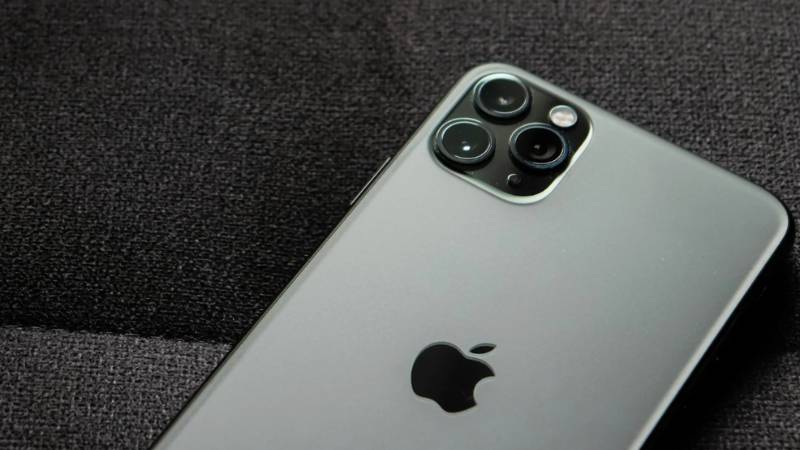
What “free” means in this context:
- No monthly charge for basic talk, text, and a set amount of data
- A smartphone included, depending on provider inventory
- No credit check or long-term contract
What it does not guarantee:
- Access to the newest iPhone models
- Free to unlimited data in different plans
- Premium features without upgrade costs
In practice, older iPhones such as iPhone 11 or SE are more commonly offered at $0. Meanwhile, newer models may appear as discounted upgrades.
So yes, a Lifeline free iPhone can be truly free if you qualify, but the exact model and plan details depend on what providers currently offer.
2. Who Qualifies for a Free iPhone
To get a free iPhone, you must meet eligibility requirements based on financial need. Approval is not based on credit score, but on income level or participation in assistance programs.
There are two main ways to qualify:
Program-Based Eligibility
This is the most common and fastest way to get approved.
You may qualify if you participate in:
- SNAP (Food Stamps)
- Medicaid
- Supplemental Security Income (SSI)
- Federal Public Housing Assistance (FPHA)
- Veterans Pension or Survivors Benefits
Benefits of this path:
- Faster approval
- Automatic verification in many cases
- Fewer documents required
Applicants in these programs usually have the highest approval success rate.
Income-Based Eligibility
If you are not enrolled in a qualifying program, you can still apply based on your income.
To qualify:
- Your household income must typically be at or below 135% of the Federal Poverty Guidelines
- The exact limit depends on your household size
You may need to provide:
- Pay stubs
- Tax returns
- Income statements
Although this path may take slightly longer due to manual verification, approved applicants receive the same access to available iPhone options through the support of the Lifeline program.
3. Who is the Best Provider through Lifeline?
Choosing the right provider is one of the most important decisions when applying for a Lifeline free iPhone. While the Lifeline program sets the eligibility rules, providers control what plans and devices are actually available.
Not all providers offer the same experience. The differences usually come down to:
- Device selection
- Ease of application
- Service quality and coverage
Some providers only offer basic smartphones with limited choice. Others provide a wider range of devices, including iPhones, and allow users to select their phone during the application.
AirTalk Wireless is often considered one of the stronger options because it offers:
- A broader catalog of smartphones, including iPhone models
- The ability to choose your device before submitting the application
- Both free and discounted upgrade options
- Free monthly plans that include talk, unlimited text, and data
This matters because the “best” provider is not just about approval. It is about what you actually receive after approval.
A provider with better inventory and flexibility gives you a higher chance of getting a usable iPhone instead of a basic device.
4. How to Get a Lifeline Free iPhone with AirTalk Wireless
Applying for a free iPhone through AirTalk Wireless follows a clear step-by-step process. Each step helps determine your eligibility and the device options you can access.
Step 1: Visit the AirTalk Wireless Website
Start by going to the official AirTalk Wireless website.
At this stage, you:
- Begin your Lifeline application
- Select your state
- Prepare to enter your details
This is where the application process officially starts.
Step 2: Enter ZIP Code
Next, enter your ZIP code.
This step is used to:
- Confirm service coverage in your area
- Show available plans and device options
Device availability, including iPhones, depends on your location, so this step is important.
Step 3: Choose a Lifeline Plan
Once your location is confirmed, select a plan.
Plans are based on your eligibility and typically include:
- Free monthly talk
- Unlimited text
- Data for everyday use
Choosing a plan allows you to move forward to device selection.
Step 4: Browse Available iPhones
After selecting your plan, you can view available devices.
At this stage, you:
- Browse iPhones based on current inventory
- Compare free options and upgrade models
- Choose the device that fits your needs
Not all models are always available, so your options depend on stock at the time of application.
Step 5: Confirm Your Eligibility
Next, confirm how you qualify.
You will indicate whether you qualify through:
- Medicaid
- SNAP
- SSI or other assistance programs
- Income-based eligibility
This step connects your application to Lifeline requirements.
Step 6: Upload Verification Documents (If Required)
Some applications require document verification.
You may need to upload:
- Government-issued ID
- Proof of program participation
- Proof of income or address
Make sure the documents are clear and information matches your application.
Step 7: Submit Your Application and Wait for Approval
Finally, submit your application.
After submission:
- Your eligibility is reviewed
- Your selected iPhone is confirmed or adjusted based on inventory
- Your service plan is activated
Once approved:
- Your device is shipped to your address
- You can start using your Lifeline service
Most users receive their phone within a few business days after approval.
5. What iPhones Are Available for You?
When applying for a Lifeline free iPhone, the exact model you receive depends on current provider inventory rather than a fixed list. This means your options can vary based on location, timing, and demand.
However, most users will typically see a range of iPhones across different tiers:
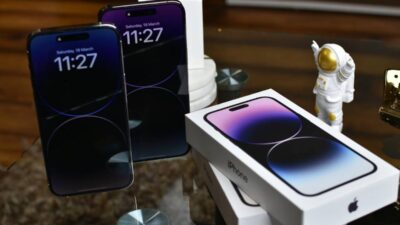
- iPhone SE (2nd or 3rd Gen): A compact and reliable option with strong performance for everyday tasks. This is one of the most commonly available free devices.
- iPhone 11: A balanced choice with good battery life and smooth performance. Often considered the “standard” free iPhone option when inventory allows.
- iPhone 12 (5G): A more advanced model with faster connectivity. It may be available as a free device in some cases or as a discounted upgrade.
- Older models (iPhone XR, iPhone 8): These may appear depending on stock. They are less common but still functional for basic use.
- Higher models (iPhone 13 and above): Usually offered as discounted upgrades rather than free devices.
A few important things to keep in mind:
- Availability changes frequently
- Not all models appear in every ZIP code
- The “best” option is the one available when you apply
Checking device options before submitting your application helps you choose the right phone.
Read more: Free iPhone 13 Government Phone: How to Get Approved for a $0 Device
6. FAQs
Can I really get a Lifeline free iPhone at no cost?
Yes, if you qualify, you can receive a phone and service at no monthly cost through licensed providers. Some newer iPhones may require a small upgrade fee.
Can I choose which iPhone I get?
Some providers allow you to select from available devices during the application. Your options depend on inventory at that time.
How long does it take to receive the phone?
Most applications are approved quickly, and devices are usually delivered within a few business days.
Do I need a contract or credit check?
No, Lifeline program does not require contracts or credit checks.
7. Conclusion
A Lifeline free iPhone is not about chasing a specific model. It is about qualifying for a program that gives you access to both service and a working smartphone without ongoing costs.
If you apply at the right time, choose a provider with better device options, and check availability before submitting, you can secure an iPhone that fits your needs instead of settling for whatever is left.