A SIM card is one of the smallest parts of your phone, but it plays a major role in how your device connects to a mobile network. Without it, your phone would not be able to make calls, send texts, or use mobile data.
In this guide, you will learn what a SIM card is, how it works inside your phone, the different types available today, and whether you always need one to use your device.
1. What Is a SIM Card?
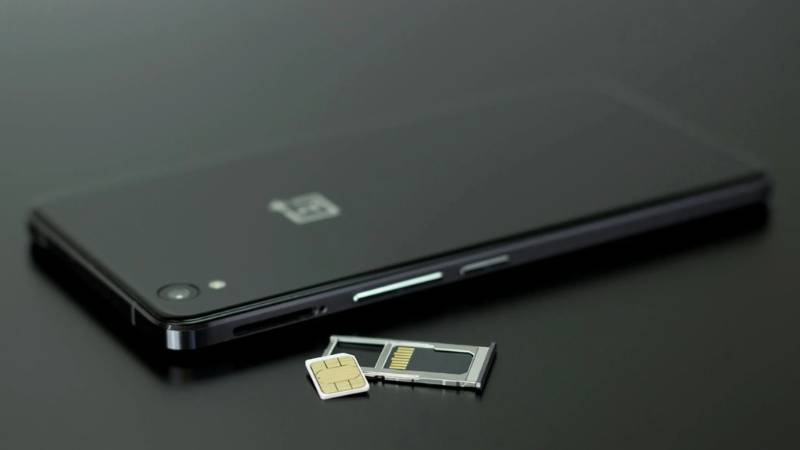
A SIM card (Subscriber Identity Module) is a small chip that connects your phone to a mobile network. It acts as your identity on that network, allowing your device to make calls, send texts, and use mobile data.
Each SIM card contains key information such as:
- A unique subscriber ID that identifies your account
- Your phone number linked to the carrier
- Network authentication data that allows access to the carrier’s system
Without a SIM card, your phone cannot connect to a carrier for cellular service. You may still use Wi-Fi, but features like calling and mobile data will not work unless you have an active SIM or eSIM.
2. How a SIM Card Works Inside Your Phone
When you insert a SIM card into your phone and turn it on, a process happens in the background to connect you to your carrier.
Here is how it works:
Step 1: The phone reads the SIM card
Your device detects the SIM and retrieves the subscriber information stored on it.
Step 2: The network verifies your identity
The carrier checks the SIM’s credentials to confirm that your account is valid.
Step 3: The phone connects to the nearest network tower
Once verified, your phone is allowed to access the network.
Step 4: Service is activated
You can now make calls, send messages, and use mobile data.
This process happens automatically within seconds every time your phone connects to the network.
The SIM card also allows flexibility. If you move your SIM card to another compatible phone, your number and service follow you, which is why SIM cards are essential for mobile connectivity.
3. Different Types of SIM Cards You Might See
Not all SIM cards look or function the same. Today, there are two main types used in smartphones, each with its own setup and use case.
Physical SIM Cards
A physical SIM card is the traditional version that you insert into your phone.
You may see different sizes:
- Standard SIM (older phones)
- Micro SIM
- Nano SIM (most modern smartphones)
How it works:
- You insert the SIM into a tray in your phone
- The phone reads the SIM and connects to your carrier
- You can remove and move it to another device anytime
Key benefits:
- Easy to swap between phones
- Widely supported across all devices
- Simple setup with no digital steps required
This is still the most common type of SIM used today.
eSIM (Embedded SIM)
An eSIM is a digital version of a SIM card that is built directly into your phone.
Instead of inserting a card:
- You receive a QR code or activation details from your carrier
- You scan or enter the information in your settings
- Your phone connects to the network instantly
Key benefits:
- No physical card needed
- Faster activation
- Ability to store multiple plans on one device (in some cases)
eSIM is becoming more common, especially in newer smartphones.
Read more: SIM Free iPhone: What It Means and How It Compares to Free Government iPhones
4. Do You Always Need a SIM Card to Use a Phone?
Not always. It depends on how you plan to use your phone.
You need a SIM card (or eSIM) if you want to:
- Make regular phone calls
- Send SMS messages
- Use mobile data outside of Wi-Fi
You do not need a SIM card if you only use:
- Wi-Fi for internet access
- Apps like WhatsApp, Messenger, or Zoom
- Offline features like camera or downloaded content
Some phones can function without a SIM, but their capabilities are limited.
In short:
- A SIM card is required for full mobile service
- It is optional for Wi-Fi-only usage
Understanding this helps you decide whether you need a SIM card or if your current usage already meets your needs.
5. Choosing the Right SIM or Plan for Your Phone
Choosing the right SIM or plan depends on how you use your phone and what your device supports. Before deciding, consider a few key factors:
- Device compatibility: Check whether your phone uses a physical SIM, supports eSIM, or both.
- Usage needs: If you mainly browse, stream, or use apps, look for plans with enough data. If you only need calls and texts, a basic plan may be enough.
- Flexibility: Some plans allow you to switch devices easily, while others are tied to contracts or long-term commitments.
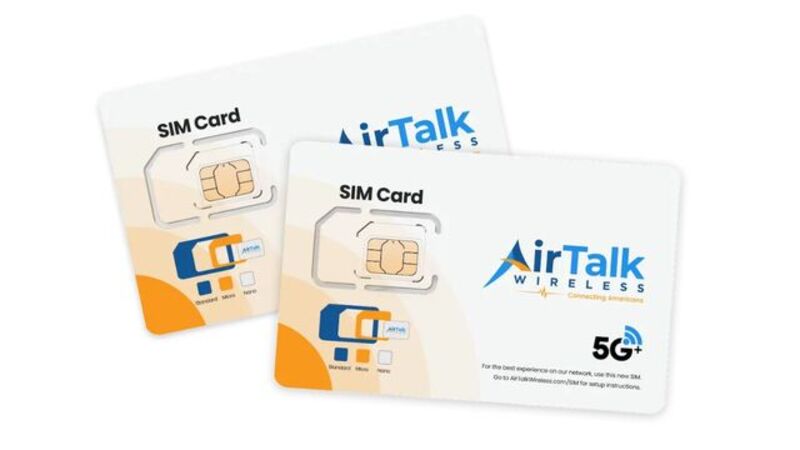
If you are looking for a budget-friendly option, AirTalk Wireless is one of the providers worth considering. It offers qualified users:
- Free or low-cost plans through the Lifeline program
- Support for both physical SIM and eSIM
- The option to use your own phone or choose a device during application
This makes it easier to find a plan that fits your needs without paying monthly fees if you qualify.
6. FAQs
Will my phone work without a SIM card?
Yes, your phone can still work without a SIM card, but only on Wi-Fi. You will not be able to make regular calls, send SMS, or use mobile data.
What is stored on my SIM card?
A SIM card stores your subscriber ID, phone number, and network authentication data. Some SIM cards may also store contacts or messages, depending on the device.
What happens if you take out your SIM card and put it in another phone?
Your phone number and service move with the SIM card. As long as the new phone is compatible, you can use your number, make calls, and access mobile data.
Do all cell phones have a SIM card?
Most phones use a SIM card or eSIM. Some newer devices use only eSIM, while older phones rely on physical SIM cards.
7. Conclusion
A SIM card may be small, but it controls how your phone connects to the world.
Understanding how it works, the types available, and how to choose the right plan helps you get the most out of your device, whether you are using a traditional SIM or switching to eSIM.