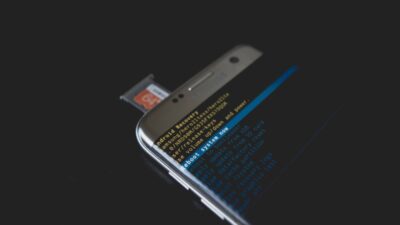
A missing SIM card doesn’t necessarily mean you have to stop making phone calls. Whether you’re waiting for a replacement SIM, using a secondary phone, or simply don’t have cellular service, you still have several options.
To make choosing the right method easier, this guide walks you through how to call without SIM card, when each option works best, and what you’ll need to stay connected.
1. How to Call Without SIM Card

Although a SIM card is normally required for traditional cellular calls, it isn’t the only way to stay connected. As long as your phone has an internet connection or supports certain calling features, you can still make calls in several different ways.
The best option depends on your device, internet access, and who you’re trying to reach.
Use VoIP Calling Services
Voice over Internet Protocol (VoIP) services let you make voice calls over the internet instead of through a mobile carrier.
These services work on both smartphones and tablets, making them a practical option if you don’t have an active SIM card.
Many VoIP services allow you to call both other users of the same app and, in some cases, regular phone numbers. All you’ll need is a stable Wi-Fi or mobile data connection.
Make Calls Through Messaging Apps
Many popular messaging apps include free voice and video calling features. If both you and the person you’re calling use the same app, you can usually place calls over Wi-Fi without needing a SIM card.
This is often the simplest option for staying in touch with family, friends, or coworkers while waiting for a replacement SIM or traveling without cellular service.
Use Wi-Fi Calling (When Supported)
Some phones support Wi-Fi Calling, which allows voice calls to be placed over a Wi-Fi network instead of a cellular connection. This feature is especially useful in areas with poor mobile coverage.
However, Wi-Fi Calling usually requires your carrier to support the feature and may still require an active mobile line associated with your account. Simply removing the SIM card doesn’t automatically enable Wi-Fi Calling on every device.
Call Emergency Services Without a SIM
In many countries, smartphones can still place emergency calls even without an active SIM card. This feature is designed to help people contact emergency services when no regular mobile service is available.
Availability and supported emergency numbers vary by country, so this option should only be relied on for genuine emergencies rather than everyday communication.
Use a Temporary eSIM or Data Connection
If your phone supports eSIM, activating a temporary data plan can restore internet access without inserting a physical SIM card. Once connected, you can use VoIP services, messaging apps, and other internet based calling methods.
This can be a convenient solution for travelers, people waiting for a replacement SIM, or anyone using an eSIM compatible device.
2. Pros and Limitations of Calling Without a SIM Card
Calling without a SIM card can be a convenient backup, but it isn’t a complete replacement for traditional mobile service. Understanding both the advantages and limitations can help you decide which option best fits your situation.
Advantages
- Make voice and video calls over Wi-Fi or mobile data.
- Stay connected while waiting for a replacement SIM card.
- Use a secondary phone or tablet without activating a cellular plan.
- Reduce roaming costs when traveling by relying on Wi-Fi or a temporary eSIM.
- Access emergency calling in many locations, even without an active SIM.
Limitations
- Most calling methods require a reliable internet connection.
- Some services only allow calls between users of the same app.
- Wi-Fi Calling may require an active carrier account and a supported device.
- Call quality depends on your internet connection.
- You generally can’t make standard cellular calls to regular phone numbers unless you’re using a service that provides that capability.
By understanding these tradeoffs, you can choose the calling method that offers the best balance of convenience, reliability, and cost for your specific needs.
3. What Do You Need to Make Calls Without a SIM Card?
Most ways to call without a SIM card rely on internet based communication rather than a traditional cellular network. Before you get started, make sure you have the right setup to avoid dropped calls or connection problems.
A Stable Internet Connection
A reliable internet connection is the most important requirement. Whether you’re connected through Wi-Fi, a mobile hotspot, or an eSIM data plan, your call quality will largely depend on the strength and stability of your connection.
For voice calls, a standard broadband or Wi-Fi connection is usually enough. Video calls and conference calls typically require faster speeds and a more stable network.
A Compatible Calling App or Service
You’ll also need a service that supports internet calling. Depending on who you’re calling, this could be a VoIP service, a messaging app with voice calling, or another internet based communication platform.
Before making a call, make sure both your app and your account are properly set up. Some services require the person you’re calling to use the same app, while others allow calls to standard phone numbers.
A Device That Supports Wi-Fi Calling (Optional)
If you want to use Wi-Fi Calling through your carrier, your phone must support the feature and your carrier must offer it. Many newer Android phones and iPhones include Wi-Fi Calling, but availability varies by model and carrier.
If your device doesn’t support Wi-Fi Calling, you can still make internet calls through compatible apps as long as you have a stable data connection.
Read more: How to See What Is Stored on SIM Card (And What Never Touches It)
4. Stay Connected Wherever You Go With the Right Mobile Plan
Making calls without a SIM card can be useful in certain situations, but having a reliable mobile plan offers much greater flexibility. With an active SIM card or eSIM, you’ll have access to traditional voice calls, text messaging, mobile data, and internet calling whenever you need them.
Getting Reliable Calling and Mobile Data
The right mobile plan depends on how you use your phone each day. If you regularly make calls, send texts, use navigation, or rely on mobile data while away from Wi-Fi, choosing a plan with enough data and dependable coverage can help you stay connected wherever you go.
Many modern plans also support eSIM activation, making it easier to switch devices or activate service without waiting for a physical SIM card.
How AirTalk Wireless Can Help Eligible Users
If you qualify for the Lifeline Program through participation in Medicaid, SNAP, SSI, or another eligible assistance program, or based on your household income, AirTalk Wireless may be able to help you stay connected at little or no monthly cost.
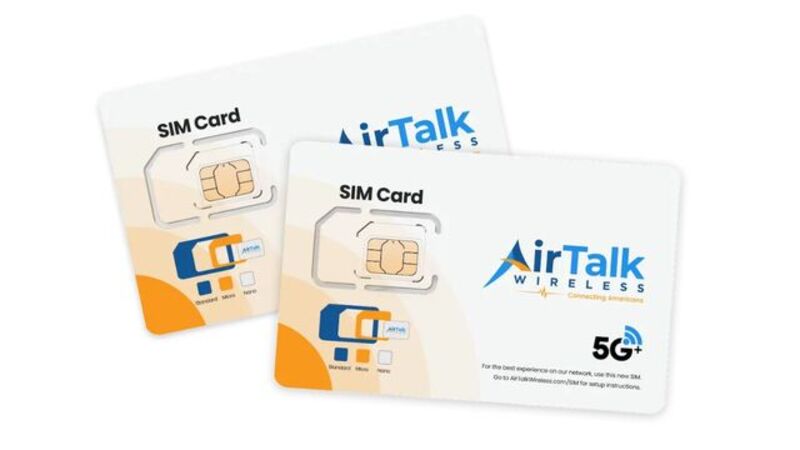
Eligible customers can receive free monthly phone service with unlimited talk and text, monthly high speed data, and either a physical SIM card or eSIM activation for compatible devices.
Depending on eligibility, location, and availability, some customers may also qualify for a free or low cost smartphone.
Getting started is simple:
- Visit the AirTalk Wireless website and enter your ZIP code.
- Select Apply Now and choose an available Lifeline plan.
- Choose a compatible device, SIM card, or eSIM option if available.
- Confirm your eligibility through a qualifying assistance program or household income.
- Upload proof of eligibility if required.
- Submit your application and wait for approval.
- Activate your SIM card or eSIM by following the instructions provided.
5. FAQs
Can I make a regular phone call without a SIM card?
Not through a traditional cellular network. However, you can make voice calls over the internet using VoIP services, messaging apps, or Wi-Fi Calling if your device and carrier support it.
Can someone call my phone if I don’t have a SIM card?
Generally, no. Without an active SIM card or eSIM connected to a mobile number, you won’t receive standard cellular calls. You can still receive calls through internet based apps if you’re connected to Wi-Fi or mobile data.
Does airplane mode prevent calls without a SIM card?
Yes. Airplane mode disables your wireless connections, including Wi-Fi unless you turn it back on manually. To make internet calls without a SIM card, Wi-Fi or another internet connection must be active.
Can I use an old phone without a SIM card for Wi-Fi calls?
Yes. As long as the phone can connect to Wi-Fi and supports the calling app you want to use, it can make internet based voice and video calls without an active SIM card.
Is an eSIM better than a physical SIM for calling?
Call quality is generally the same. The main difference is that an eSIM is activated digitally, while a physical SIM must be inserted into your phone. The best choice depends on your device and your carrier’s available services.
6. Conclusion
Although a SIM card is required for traditional cellular calls, it isn’t the only way to stay connected. How to call without SIM card depends on the resources available to you, whether that’s a Wi-Fi connection, a VoIP service, a messaging app, Wi-Fi Calling, or a temporary eSIM.
Each option has its own advantages, so the best choice comes down to your device, internet access, and calling needs. If you expect to make calls regularly while away from Wi-Fi, an active mobile plan with reliable voice and data service will usually provide the most convenient long-term solution.