The iPhone 11 Pro Max was released before Apple shifted heavily toward eSIM-only designs, which is why many owners still are not sure how much digital SIM functionality the device actually supports.
At the same time, newer carriers and wireless plans increasingly rely on eSIM activation for faster setup and dual-line flexibility.
If your question is “does iPhone 11 Pro Max have eSIM”, the answer involves more than just the hardware itself because carrier compatibility and software support also play a major role.
1. Does iPhone 11 Pro Max Have eSIM Support?
Yes, the iPhone 11 Pro Max fully supports eSIM functionality alongside a physical nano-SIM card. Apple introduced this setup to give the device dual SIM capability without removing the traditional SIM tray that many carriers and regions still relied on at the time.
The iPhone 11 Pro Max supports:
- One physical nano-SIM
- One active eSIM line
- Dual SIM functionality
- Multiple stored eSIM profiles
That means the phone can handle situations like:
- Keeping work and personal numbers separate
- Using a travel data plan while keeping the main number active
- Running two carriers on the same device
- Switching compatible plans digitally without replacing a physical SIM card
Support for dual active eSIM also became available on compatible setups with iOS 16 or later, although carrier support still varies.
Another important detail is that most iPhone 11 Pro Max models sold in the U.S. support both nano-SIM and eSIM together.
However, some regional models sold in China, Hong Kong, or Macau may use dual physical nano-SIM trays instead of eSIM functionality.
That regional difference is one reason many people still double-check whether iPhone 11 Pro Max has eSIM before switching carriers or activating a second line.
2. How eSIM Pairs with the Nano-SIM Slot on iPhone 11 Pro Max
Apple designed the iPhone 11 Pro Max to combine traditional SIM hardware with newer digital activation methods instead of forcing users to rely entirely on eSIM right away.
How Two Lines Work at the Same Time
The iPhone 11 Pro Max can keep two cellular lines active simultaneously by combining:
- One physical nano-SIM
- One eSIM profile
Inside iPhone settings, different lines can be assigned for:
- Voice calls
- Text messaging
- Mobile data
- iMessage and FaceTime
For example, one line can handle personal communication while the second line handles work calls or travel data.
The phone also allows switching default data lines directly inside settings without removing SIM cards physically.
Why iPhone 11 Pro Max Was Designed This Way
At the time of release, wireless carriers worldwide were still transitioning toward eSIM support.
Keeping both SIM options available allowed Apple to:
- Support carriers that still required physical SIM cards
- Introduce digital activation gradually
- Make international travel easier
- Support dual-line business setups
- Reduce dependence on removable SIM hardware over time
That hybrid approach helped the iPhone 11 Pro Max stay compatible across many regions and carrier types.
3. How Do I Add eSIM to My iPhone 11 Pro Max?
Most eSIM activations only take a few minutes when the carrier fully supports digital setup.
Method 1: Using a Carrier App (Easiest)
Many wireless providers now support direct eSIM activation through their apps.
This setup method may allow the iPhone to:
- Download the eSIM automatically
- Transfer an existing number
- Activate service instantly
- Manage multiple cellular plans digitally
Do note that most app-based activations still require Wi-Fi access, an unlocked device, and a supported carrier plan.
Method 2: Scanning a QR Code
QR code activation is still one of the most common eSIM setup methods.
To activate, you can follow these steps:
- Open Settings
- Tap Cellular
- Select Add eSIM
- Scan the carrier QR code
- Follow the setup instructions
Once installation finishes, the cellular plan should appear automatically inside settings.
Method 3: Transferring from a Previous iPhone
Apple also allows eSIM transfer between compatible iPhones in many situations.
During setup, the iPhone 11 Pro Max may prompt the transfer of:
- An existing phone number
- The active eSIM profile
- Cellular settings from the previous device
This process works best when both iPhones:
- Use updated iOS versions
- Stay connected to Wi-Fi
- Support carrier-based eSIM transfer features
4. Can the iPhone 11 Pro Max Have Two eSIMs?
The iPhone 11 Pro Max originally launched with support for one physical nano-SIM and one active eSIM, but later iOS updates expanded how eSIM could work on the device.
With the right software version and carrier support, the phone can now manage dual active eSIM setups in certain situations.
What iOS Version You Need
Dual eSIM support became available on compatible iPhones running iOS 16 or later.
That means the iPhone 11 Pro Max may support:
- Two active eSIM lines simultaneously
- Multiple stored eSIM profiles
- Switching between plans without physical SIM cards
Carrier support still matters, though, because not every provider currently supports dual active eSIM configurations on older iPhone models.
How to Manage Multiple eSIM Profiles
Inside Cellular settings, the iPhone allows different eSIM profiles to be:
- Added
- Renamed
- Temporarily disabled
- Switched between
- Removed if no longer needed
This setup may work especially well for international travel plans or backup data lines.
You can label each profile by purpose (work, travel, personal) to make switching eSIMs easier.
Temporary prepaid plans can also benefit from this setup.
5. Troubleshooting eSIM Setup on iPhone 11 Pro Max
Even when the iPhone fully supports eSIM, activation problems can still happen because of carrier restrictions, setup errors, or network configuration issues.
Activation Stuck or Failed
An eSIM installation may freeze or fail during setup if:
- Wi-Fi becomes unstable
- The QR code expires
- The carrier has provisioning delays
- The device still has a carrier lock
- iOS needs updating
Restarting the iPhone and reconnecting to stable Wi-Fi often resolves temporary activation issues.
“Cellular Plan Cannot Be Added” Error
This message usually appears when:
- The eSIM was already installed previously
- The carrier profile is no longer valid
- The line transfer failed
- The carrier account needs additional verification
In many cases, requesting a fresh QR code or restarting the activation process fixes the issue.
eSIM Works on Wi-Fi but Not Cellular Data
Sometimes calls and setup appear successful while mobile data still fails afterward.
Possible causes may include:
- Incorrect APN settings
- Data line not selected properly
- Carrier-side activation delays
- Disabled roaming settings
- Weak local network coverage
Checking which line is selected for mobile data inside Cellular settings often helps resolve the problem quickly.
6. Get Your iPhone 11 Pro Max Connected Free with Lifeline
The iPhone 11 Pro Max still handles modern wireless features surprisingly well, especially with eSIM support, dual-line functionality, and strong everyday performance.
That makes it practical to keep using the device instead of replacing it every few years simply to stay compatible with newer carrier technology.
At the same time, monthly wireless costs continue increasing for many households. Finding a lower-cost plan that still works smoothly with modern iPhones has become just as important as the phone itself.
What Is the Lifeline Program?
Lifeline is a federal assistance program created to help qualifying low-income households access more affordable communication services.
Eligible participants may receive support that helps reduce the cost of:
- Monthly phone service
- Talk and text plans
- Mobile data access
Depending on the provider and device compatibility, activation may happen through either physical SIM cards or eSIM-supported setup methods.
Who Qualifies for Free Service?
Qualification may happen through either income eligibility or participation in approved assistance programs.
Common qualifying pathways may include:
- Medicaid
- SNAP
- SSI
- Federal Public Housing Assistance
- Veterans Pension benefits
Eligibility requirements can vary by state and verification status.
How to Apply for a Free iPhone & eSIM
Providers like AirTalk Wireless participate in the Lifeline program and support compatible iPhones with Bring Your Own Device activation, including many devices that support eSIM functionality.
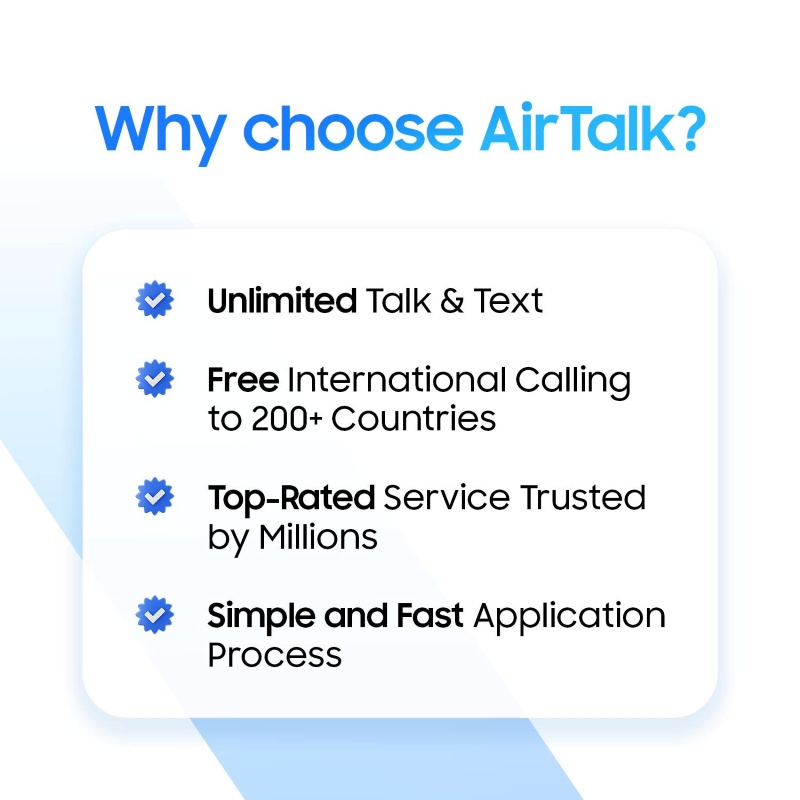
That can be especially useful on the iPhone 11 Pro Max because compatible plans may allow activation digitally instead of relying entirely on physical SIM cards.
Depending on eligibility and availability, AirTalk may offer:
- Monthly talk
- Text
- Data service
- Compatible nationwide coverage
- Bring Your Own Device (BYOD) support
- Free or discounted smartphone offers
The process usually begins by entering a ZIP code to check local availability and supported plans. After completing the online application and any required verification, compatible devices can typically activate through either nano-SIM or supported eSIM methods.
Read more: SIM Network Unlock PIN Free: What’s Worth Trusting in 2026
7. FAQS
Can the iPhone 11 Pro Max Store More Than One eSIM Profile?
Yes. The phone can store multiple eSIM profiles even though only supported combinations can remain active simultaneously depending on carrier support.
Does eSIM Drain Battery Faster on iPhone 11 Pro Max?
In normal daily use, eSIM does not create a major battery difference compared to physical SIM usage.
Can eSIM Be Removed and Reinstalled Later?
Yes. eSIM profiles can be deleted and reinstalled, although some carriers may require a new activation code during reinstallation.
Does Factory Reset Delete eSIM on iPhone 11 Pro Max?
It can. During a full erase process, iPhone gives the option to keep or remove installed eSIM profiles.
8. Conclusion
The iPhone 11 Pro Max still offers strong flexibility for modern carrier setups thanks to its support for both physical nano-SIM cards and eSIM activation.
As wireless providers continue expanding digital activation options, does iPhone 11 Pro Max have eSIM matters less as a hardware question and more as part of choosing the right carrier, setup method, and compatible plan for everyday use.