How to activate Android phone without SIM card is a common question when setting up a new device, reusing an old phone, or waiting for a SIM card to arrive.
The answer depends on your phone model, Android version, and whether you plan to use a physical SIM or eSIM. In many cases, you can complete the initial setup and start using your device without inserting a SIM card at all.
In this guide, we’ll walk through several ways to activate an Android phone without a SIM card, explain when eSIM may be a better option, and cover the limitations you should expect after setup.
1. Can You Really Activate an Android Phone Without a SIM Card?
Yes, in many cases you can.
Most modern Android phones can complete the initial setup process using Wi-Fi alone, even if no SIM card is installed. This allows you to access Android features, sign in with a Google account, download apps, and connect to the internet before cellular service is activated.
However, the experience varies by device and carrier. Some phones may display reminders to insert a SIM card during setup, while certain carrier-branded devices may require additional activation steps before all features become available.
If your goal is simply to get the phone up and running, a physical SIM card is often not required.
2. How to Activate Android Phone Without SIM Card Using Wi-Fi
For most Android devices, Wi-Fi is the easiest way to complete activation without inserting a SIM card.
Step 1: Power On and Connect to Wi-Fi
Turn on the phone and begin the setup process.
When prompted, connect to a stable Wi-Fi network. The device uses this connection to verify software, download updates if needed, and complete activation with Google’s servers.
Step 2: Skip the “Insert SIM” Screen
Some Android phones display a message asking you to insert a SIM card during setup.
If available, tap Skip, Set Up Later, or a similar option. The wording varies by manufacturer, but many devices allow you to continue without activating cellular service immediately.
If you don’t see a skip option, make sure the phone is connected to Wi-Fi and follow any on-screen instructions provided by the manufacturer.
Step 3: Complete Google Account Setup
Sign in with your Google account or create one if needed.
Once signed in, you can finish configuring security settings, restore backups, download apps from Google Play, and begin using the device normally over Wi-Fi.
At this point, the phone is activated and ready to use for many everyday tasks, even though cellular service has not been set up yet.
>>> Related blog: SIM Card Inserted But No Service on Android? 9 Proven Fixes
3. How to Activate an Android Phone with eSIM
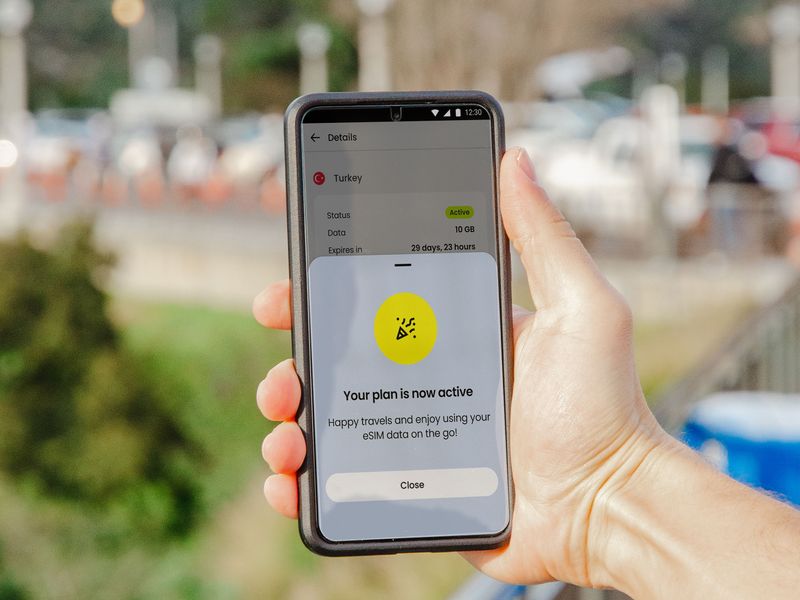
If your Android phone supports eSIM, you may be able to activate cellular service without ever inserting a physical SIM card.
- Step 1: Connect the phone to Wi-Fi and complete the basic Android setup.
- Step 2: Open Settings and navigate to Network & Internet, Connections, or SIM Manager, depending on your device.
- Step 3: Select Add eSIM, Download SIM, or a similar option.
- Step 4: Follow your carrier’s instructions to install the eSIM profile. This may involve scanning a QR code, entering activation details, or using the carrier’s mobile app.
- Step 5: Wait for the eSIM to download and activate. Once complete, your phone should connect to the carrier’s network just as it would with a physical SIM card.
This how to activate Android phone without SIM card approach is becoming increasingly common on newer Android devices because it eliminates the need to handle a physical SIM card while making activation faster and more convenient.
4. What Can You Do After Activating Without a SIM Card?
After successfully activating your Android phone without a SIM card, you can still use many of its features as long as the device is connected to Wi-Fi.
Features That Still Work
You can:
- Browse the internet using Wi-Fi
- Download and update apps from Google Play
- Send messages through apps like WhatsApp, Messenger, and Telegram
- Make video and voice calls using Zoom, Google Meet, or other internet-based apps
- Access email and social media accounts
- Stream videos, music, and podcasts
- Take photos and record videos
- Use offline apps, games, and stored files
- Sync data with your Google account
Limitations Without Cellular
Without an active SIM card or eSIM, you generally cannot:
- Make regular cellular phone calls
- Send or receive SMS text messages
- Use mobile data when Wi-Fi is unavailable
- Access carrier-specific services linked to your phone number
5. Need Cellular Service? Consider a Free eSIM Plan if You Qualify
How to activate Android phone without SIM card allows you to complete setup and use many Wi-Fi-based features.
However, if you want to make phone calls, send text messages, and access mobile data away from Wi-Fi, you’ll eventually need cellular service.
For eligible households, the Lifeline program may help reduce the cost of phone service. Participating providers, including AirTalk Wireless, offer plans that may include a physical SIM card or eSIM, depending on device compatibility and availability.
You may qualify based on household income or participation in programs such as:
- SNAP
- Medicaid
- SSI
- Federal Public Housing Assistance (FPHA)
- Veterans Pension
- Survivors Pension
If your Android phone supports eSIM technology, activation can often be completed digitally after approval without waiting for a physical SIM card. Before applying, make sure your device is unlocked and compatible with the provider’s network.
Tip: If you’ve activated your Android phone using Wi-Fi but still need cellular service, an eSIM-compatible Lifeline plan may provide a convenient way to get connected.
>>> Read more: Can You Put an Android SIM Card in an iPhone? (2026 Real Answer)
6. FAQs
Can I activate an Android phone without a SIM card?
Yes. Many Android phones can complete the initial setup process using Wi-Fi without a physical SIM card installed.
Do all Android phones allow setup without a SIM card?
Most do, but the exact process varies by manufacturer and carrier. Some devices may display additional activation prompts during setup.
Can I use apps without a SIM card?
Yes. Apps that work over Wi-Fi, including email, messaging, streaming, and web browsing apps, can usually be used normally.
Can I make phone calls without a SIM card?
You can use internet-based calling apps over Wi-Fi. Traditional cellular calls require an active SIM card or eSIM plan.
Is eSIM a replacement for a physical SIM card?
Yes. eSIM provides cellular service digitally and can perform the same functions as a physical SIM card on supported devices.
7. Conclusion
If you’re wondering how to activate Android phone without SIM card, Wi-Fi is often enough to get through the setup process and start using many of the phone’s features.
When you’re ready to add cellular service, a physical SIM card or eSIM can be activated later, giving you access to calls, texts, and mobile data wherever you go.