
A dual SIM phone allows you to use two SIM cards on the same device at the same time. This lets you manage two phone numbers, carriers, or mobile plans without carrying a second phone.
In this guide, we’ll explain how a dual SIM phone works, the different types of dual SIM technology, and the benefits and limitations of using two SIM cards on one device.
1. How Does a Dual SIM Phone Work?
A dual SIM phone works by allowing two SIM profiles, physical SIM cards, eSIMs, or a combination of both, to operate on a single device. This lets you use two phone numbers without carrying separate phones.
Instead of switching between devices, the phone manages both lines through the same hardware and operating system. This makes it easy to separate work and personal numbers, use different carriers, or keep a local travel line alongside your primary number.
Most modern dual SIM phones can receive calls and text messages on both numbers, although the exact experience depends on the type of dual SIM technology used. You can also choose which SIM handles calls, messages, and mobile data.
In many dual SIM devices, both lines remain available to receive calls and texts, but only one SIM can use mobile data at a time.
Depending on the phone and network configuration, the second SIM may temporarily become unavailable while a call is active on the first SIM.
2. Types of Dual SIM Technology
When people ask how does a dual SIM phone work, the answer isn’t always the same. The experience can vary depending on the type of dual SIM technology built into the device.
Dual SIM Dual Standby (DSDS)
DSDS is the most common dual SIM setup in modern smartphones.
- Both SIMs can receive calls and texts while on standby.
- Only one SIM can actively handle a call at a time.
- If you’re on a call with one SIM, calls to the second SIM may go to voicemail or appear unavailable.
Most modern iPhones and Android phones use DSDS technology.
Dual SIM Dual Active (DSDA)
DSDA allows both SIMs to remain active simultaneously.
- Both numbers can handle calls at the same time.
- You can receive a call on one SIM while using the other.
- Requires additional radio hardware, making it less common than DSDS.
If you’re wondering how does a dual SIM phone work when both numbers need to stay active at the same time, DSDA is the technology that makes this possible.
Dual SIM with eSIM (Newer Models)
Many newer smartphones support dual SIM functionality through a physical SIM and eSIM, or multiple eSIM profiles.
- No second physical SIM card is required.
- Additional lines can often be activated digitally.
- Common on newer iPhone, Samsung Galaxy, and Google Pixel models.
For many users, eSIM offers the easiest way to add a second phone number without changing SIM cards.
3. How Do Calls, Texts, and Mobile Data Work on a Dual SIM Phone?
Once both SIMs are active, the phone allows you to control how each line is used.
Calls and Text Messages
Most dual SIM phones can receive calls and texts on both numbers. When a call or message arrives, the phone identifies which SIM is being used so you can easily manage personal and business communications on the same device.
For outgoing calls and texts, you can usually:
- Set a default SIM
- Choose a SIM before placing a call or sending a message
- Assign specific contacts to a preferred number on some devices
Mobile Data
Most dual SIM phones allow only one SIM to use mobile data at a time.
You can select the preferred data SIM in the settings menu and switch whenever needed. This is useful if one carrier offers better coverage while another provides a more affordable data plan.
Switching Between SIMs
If you’re wondering how does a dual SIM phone work in everyday use, switching between SIMs is typically done through the phone’s settings and does not require removing either SIM card.
Depending on the device, changes usually take effect within seconds.
>>> Read more: You’re One Step Away from A Free SIM Card With Free Service Government iPhone
4. How to Set Up a Dual SIM Phone
The setup process varies slightly by device, but most dual SIM phones follow the same basic steps.
Step 1: Insert Two Physical SIM Cards
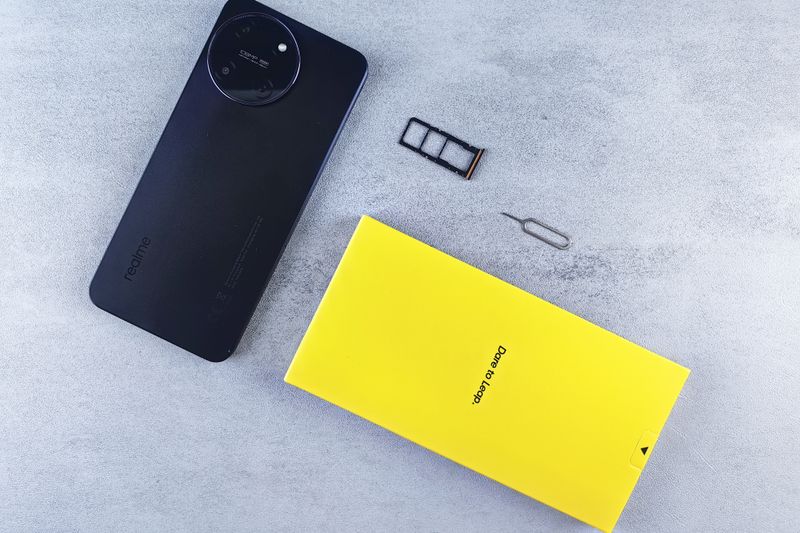
If your phone supports two physical SIMs, insert both cards into the SIM tray according to the manufacturer’s instructions.
Once the phone detects both SIMs, you should see separate line indicators in your network settings.
Step 2: Add an eSIM
For phones that support eSIM, open the cellular or network settings and select the option to add an eSIM.
Depending on the carrier, activation may involve scanning a QR code, entering activation details, or using the carrier’s app.
Step 3: Configure Default Line for Calls, Texts, and Data
After both lines are active, choose which SIM should be used by default.
Most phones allow separate defaults for:
- Voice calls
- Text messages
- Mobile data
You can usually change these settings at any time.
Step 4: Test Both SIM Connections
Place a test call, send a text message, and verify mobile data connectivity on each line.
Confirming everything works immediately can help avoid confusion later.
5. How to Check If Your Phone Supports Dual SIM
Now that you understand how does a dual SIM phone work, the next step is determining whether your device supports dual SIM functionality.
On iPhone
Go to Settings > Cellular.
If you see options such as Add eSIM, Cellular Plans, or multiple active lines, your iPhone likely supports dual SIM functionality.
Most newer iPhones support dual SIM through a combination of nano-SIM and eSIM, while some newer models support multiple eSIMs.
On Android
Open Settings and look for SIM Manager, Network & Internet, or Connections.
If the phone supports dual SIM, you’ll typically see settings for SIM 1 and SIM 2, or options to manage multiple mobile plans.
Check Manufacturer Specifications
The most reliable method is checking the official specifications for your exact model.
Manufacturers usually indicate whether a device supports:
- Dual physical SIMs
- Nano-SIM plus eSIM
- Multiple eSIM profiles
Support can vary by region, even for the same phone model.
6. FAQs
What are the disadvantages of a dual SIM phone?
Dual SIM phones can use slightly more battery power because the device manages two network connections. Some models also limit mobile data to one SIM at a time, and managing multiple numbers may be confusing for some users.
How do you switch between SIMs on a dual SIM phone?
Most phones allow you to switch between SIMs through the cellular or network settings. You can choose which line handles calls, texts, and mobile data without removing either SIM card.
Do dual SIM phones have to be on the same network?
No. Many dual SIM phones can use two different carriers simultaneously, provided the device is unlocked and supports both networks.
What is the point of having two SIM cards in a phone?
The main advantage is flexibility. Dual SIM phones allow users to manage two numbers, combine different carrier plans, separate work and personal communications, or maintain service while traveling without carrying multiple devices.
7. Conclusion
If you’ve ever wondered how does a dual SIM phone work, the concept is actually quite simple: one phone, two lines, and more control over how you use them.
From managing separate numbers to staying connected while traveling, dual SIM technology gives users more options without the inconvenience of carrying a second device. As support for eSIM continues to expand, setting up and managing multiple lines is becoming easier than ever.