Does my phone support eSIM? If you’re planning to activate a new mobile plan or switch carriers, checking eSIM compatibility is an important first step. While many newer smartphones support eSIM, some devices still rely on a physical SIM card.
The good news is that you can usually confirm eSIM support in just a few minutes. Below, we’ll show you four simple ways to check whether your phone is eSIM compatible.
1. Does My Phone Support eSIM?
In many cases, the answer is yes. Most flagship smartphones released in the last few years include eSIM functionality, allowing users to activate a mobile plan digitally without inserting a physical SIM card.
However, compatibility depends on several factors, including your phone model, region, carrier restrictions, and software version.

Apple has supported eSIM since the iPhone XS, XS Max, and XR.
Google introduced eSIM support with select Pixel devices, while Samsung gradually expanded support across its Galaxy S, Galaxy Z, and some Galaxy A series models.
Other manufacturers, including Motorola and OnePlus, have also added eSIM support to selected devices.
Even if your phone model technically supports eSIM, certain carrier-locked or region-specific versions may not have the feature enabled. That’s why checking compatibility before purchasing an eSIM plan is always recommended.
The easiest way to find out is to verify your device model, check your phone settings, and confirm support with your carrier.
2. How to Check Compatibility
Before contacting your carrier or purchasing an eSIM plan, it’s worth confirming whether your device supports eSIM technology. The process only takes a few minutes and can help you avoid activation issues later.
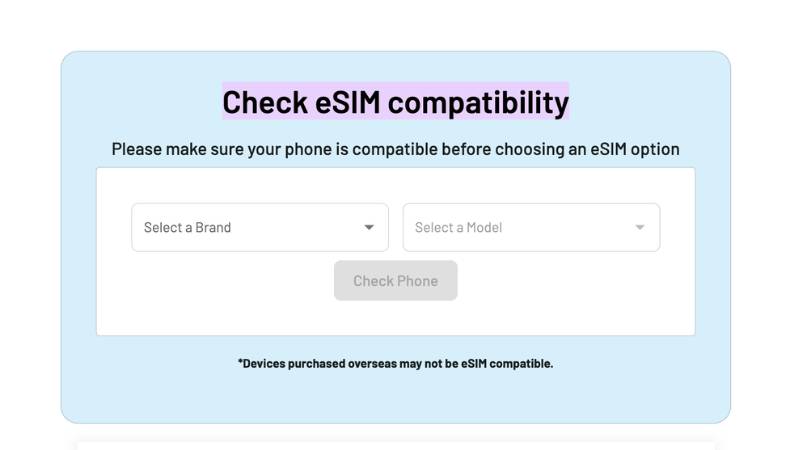
One of the easiest options is to use AirTalk Wireless‘ eSIM Compatibility Checker. Simply select your phone brand and model, then the tool will indicate whether the device supports eSIM activation.
Keep in mind that compatibility depends on both the device hardware and the version sold in your region. Some international or carrier-specific models may have different eSIM capabilities even when they share the same product name.
For the most accurate results, follow the steps below in addition to using an online compatibility checker.
Step 1: Check If Your Phone Model Supports eSIM
Start by identifying the exact model of your phone. eSIM support varies not only by brand but sometimes by region and carrier version.
On iPhone, go to: Settings → General → About
On Android, go to: Settings → About Phone
Once you know your device model, compare it with the manufacturer’s specifications. This is particularly important for Samsung, Motorola, and Xiaomi devices, where some versions support eSIM while others do not.
Step 2: Check Your Phone Settings
Your phone’s settings often provide the fastest confirmation.
On iPhone: Settings → Cellular
Look for options such as:
- Add eSIM
- Add Cellular Plan
On Android:Settings → Connections → SIM Manager or Settings → Network & Internet
Look for:
- Add eSIM
- Add Mobile Plan
- Download SIM
If these options appear, your device likely supports eSIM functionality.
Step 3: Verify Carrier Compatibility
Even if your phone supports eSIM, your carrier must also support eSIM activation.
Most major U.S. carriers now offer eSIM services, but support can vary by device and plan type. Before switching, verify:
- eSIM availability
- Supported devices
- Activation requirements
- Transfer procedures
Checking carrier compatibility can prevent activation failures after purchasing a plan.
Step 4: Use Your IMEI to Confirm (Optional)
If you’re still unsure, your IMEI can provide additional confirmation.
Dial: *#06# or locate the IMEI in your device settings.
Many carriers can use the IMEI to verify whether a phone is eligible for eSIM activation. Some devices also display an EID (Embedded Identity Document) number, which is commonly associated with eSIM-enabled hardware.
This final step is especially useful when dealing with imported devices, carrier-locked phones, or region-specific models.
4. Does My Android Phone Support eSIM?
Android support has expanded significantly, but compatibility still varies by manufacturer and model. Here are some of the most common brands that support eSIM technology.
Google Pixel
Google was one of the earliest Android manufacturers to adopt eSIM.
Many Pixel devices support eSIM, including:
- Pixel 3 and newer
- Pixel 4 series
- Pixel 5 series
- Pixel 6 series
- Pixel 7 series
- Pixel 8 series
- Pixel 9 series
Some carrier-specific versions may have restrictions, so checking your exact model remains important.
Samsung Galaxy
Samsung now offers eSIM support across many premium devices.
Common examples include:
- Galaxy S20 series and newer
- Galaxy S21 series
- Galaxy S22 series
- Galaxy S23 series
- Galaxy S24 series
- Galaxy Z Fold series
- Galaxy Z Flip series
Some newer Galaxy A devices also support eSIM, though availability depends on region and model number.
Not every Samsung phone includes this feature. For example, the Galaxy A14 does not support eSIM.
Motorola, OnePlus, and Others
Several other Android manufacturers now offer eSIM support in selected models.
Examples include:
Motorola
- Razr series
- Edge series (selected models)
OnePlus
- OnePlus 11
- OnePlus 12
- Select regional variants
Other Brands
- Sony Xperia flagship models
- Certain Oppo devices
- Select Xiaomi models
- Some Honor devices
Because support differs widely between regions, always verify the exact model before purchasing an eSIM plan.
5. Common Reasons Your Phone Doesn’t Support eSIM
If your device fails the compatibility check, one of the following factors is usually responsible.
Released Before eSIM Hardware Existed
eSIM requires dedicated hardware built into the device.
Many smartphones released before 2018 were designed exclusively for physical SIM cards and cannot be upgraded to support eSIM through software updates.
If your phone is several years old, hardware limitations are often the main reason compatibility is unavailable.
Region-Locked or Carrier-Locked Variants
Manufacturers sometimes disable eSIM functionality for specific markets.
For example, a phone sold in one country may support eSIM, while an otherwise identical model sold elsewhere may not.
Carrier-locked devices can also have restrictions that prevent eSIM activation until the device is unlocked.
This is why checking your exact model number is often more reliable than relying on the phone’s marketing name alone.
Software Limitations on Older OS Versions
In some cases, the hardware supports eSIM, but outdated software prevents access to the feature.
Installing the latest operating system updates may restore missing options or improve compatibility with carrier activation systems.
If your phone should support eSIM but you cannot find the necessary settings, updating your software is a good troubleshooting step before contacting your carrier.
Read more: Unlocked SIM Free Phones: What They Mean and How to Get the Right One in 2026
6. FAQs
How do I know if my phone supports eSIM?
The easiest way is to check your phone settings for options such as “Add eSIM” or “Add Cellular Plan.” You can also use an eSIM compatibility checker or verify your device model with the manufacturer.
Can I use eSIM and a physical SIM at the same time?
Many modern smartphones support Dual SIM functionality, allowing you to use an eSIM and a physical SIM simultaneously. Availability depends on your device model and carrier.
Does every iPhone support eSIM?
No. eSIM support starts with the iPhone XS, iPhone XS Max, and iPhone XR. Older models require a physical SIM card.
Do all Android phones support eSIM?
No. While many newer Google Pixel, Samsung Galaxy, Motorola, and OnePlus devices support eSIM, compatibility varies by model, carrier, and region.
Why can’t I find the eSIM option in my settings?
Your phone may not support eSIM, your carrier may have disabled the feature, or your device software may need an update. Checking your model number and carrier requirements can help identify the cause.
Can a carrier-locked phone use eSIM?
Some carrier-locked phones support eSIM, but activation options may be restricted to the original carrier. An unlocked device generally offers more flexibility.
Does an EID number mean my phone supports eSIM?
In most cases, yes. An EID is associated with eSIM hardware and is commonly found on eSIM-compatible devices.
7. Conclusion
If you’re asking “does my phone support eSIM,” the answer depends on your device model, carrier, region, and software version. Fortunately, checking compatibility only takes a few minutes.
Start by using an eSIM compatibility checker, review your phone settings, and confirm support with your carrier before activating a plan