Buying a new phone or switching carriers often raises one common question: does every phone have a SIM card?
Before activating a new device or changing wireless providers, it’s worth understanding the different ways phones connect to a cellular network and how to determine which option your device supports.
1. Does Every Phone Have a SIM Card?
No. Although most smartphones connect to a mobile network using a SIM, not every phone has a physical SIM card. Many newer devices rely on eSIM technology instead, and some products don’t support cellular service at all.
If you’re wondering do phones have SIM cards, the answer depends on the type of device. Traditional smartphones typically use a physical SIM, while some recent models activate wireless service digitally through an embedded SIM (eSIM). Tablets, laptops, and Wi-Fi-only devices may not include any SIM functionality.
Understanding which category your device falls into can help you choose the right wireless plan and avoid activation issues.
2. Which Phones Don’t Use Physical SIM Cards?
While physical SIM cards remain common, several types of devices no longer require one.
eSIM Only Phones
Some of the newest smartphones no longer include a physical SIM tray.
For example, U.S. versions of the iPhone 14 series and newer models use eSIM only, allowing users to activate their mobile plan digitally without inserting a physical SIM card. Other manufacturers are also expanding eSIM support as the technology becomes more widely available.
Wi Fi Only Devices
Not every phone-like device is designed to connect to a cellular network.
Some tablets, media players, and other Wi-Fi-only devices don’t include a SIM slot or eSIM because they access the internet exclusively through Wi-Fi. Since they can’t connect to a mobile carrier, no SIM card is required.
Older CDMA Phones
Some older CDMA phones operated without removable SIM cards.
In the past, carriers such as Verizon and Sprint activated certain devices by registering the phone directly on their network instead of using a SIM card. As these older CDMA networks have been retired, nearly all modern smartphones now use either a physical SIM or an eSIM for activation.
3. How to Tell Whether Your Phone Has a SIM Card
If you’re not sure whether your device uses a physical SIM, there are several easy ways to find out.
Look for a SIM Card Tray
The quickest method is to inspect the outside of your phone.
Most smartphones with a physical SIM have a small SIM tray located along one edge of the device. You’ll usually notice a tiny pinhole next to the tray that can be opened with a SIM eject tool.
If you can’t find a SIM tray, your phone may support only eSIM or may not have cellular connectivity at all.
Check Your Phone’s Settings
Your phone’s settings can also reveal whether it supports a physical SIM, an eSIM, or both.
On an iPhone, open Settings > General > About and look for information such as Physical SIM, Available SIM, or Carrier Lock.
On an Android phone, open Settings, then navigate to Network & Internet, Connections, or SIM Manager (the exact menu varies by manufacturer).
If your phone supports eSIM, you’ll typically see options to add or manage an eSIM profile.
Use Your IMEI or EID Information
Another way to check is by viewing your device identifiers.
Most phones have an IMEI (International Mobile Equipment Identity) number, which identifies the device itself. Phones with eSIM capability also have an EID (Embedded Identity Document) number used for eSIM activation.
If you see an EID listed in your phone’s settings, your device supports eSIM. If you also have a SIM tray, your phone likely supports both a physical SIM and an eSIM.
4. SIM Card vs eSIM: What’s the Difference?
Both physical SIM cards and eSIMs serve the same purpose: they connect your phone to your carrier’s network. The main difference is how they’re installed and activated.
Physical SIM Cards
A physical SIM card is a removable chip that you insert into your phone’s SIM tray.
It’s easy to transfer between compatible devices, making it a popular choice for people who upgrade phones regularly or want the flexibility to move their mobile service from one device to another.
If your phone uses a physical SIM, replacing or changing carriers often requires swapping the SIM card.
eSIM Technology
An eSIM is built directly into your phone, so there’s no physical card to insert or remove.
Instead, your carrier activates your mobile plan digitally by downloading an eSIM profile to your device. This makes setup faster and eliminates the need to wait for a physical SIM card to arrive.
Many newer smartphones support both a Nano SIM and an eSIM, while some recent models rely entirely on eSIM technology.
Which One Should You Use?
The best option depends on your phone, your carrier, and how you plan to use your device.
A physical SIM may be the better choice if you:
- Frequently move your mobile service between compatible phones.
- Use an older device that doesn’t support eSIM.
- Prefer the convenience of removing and replacing your SIM card.
An eSIM may be a better fit if you:
- Own a newer smartphone with eSIM support.
- Want to activate service without waiting for a physical SIM.
- Use multiple mobile plans or travel internationally.
- Prefer managing your mobile plan digitally.
Many carriers now support both options, giving you the flexibility to choose the activation method that works best for your device.
If you’re looking for an affordable wireless plan, it’s also worth checking whether your provider offers both physical SIM and eSIM activation.
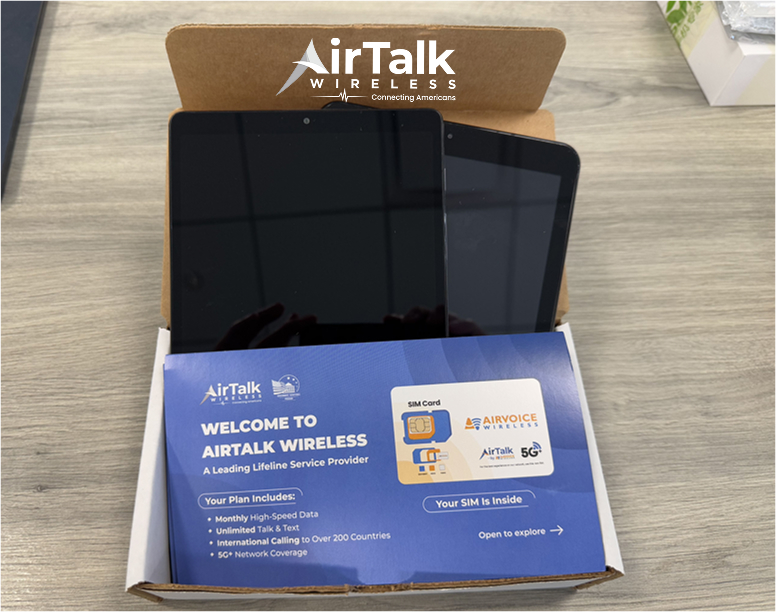
For example, AirTalk Wireless, a participating provider in the federal Lifeline program, supports compatible SIM technologies on eligible devices.
Qualified customers may receive affordable wireless service and, depending on eligibility and available inventory, the option to receive a discounted smartphone.
Read more: How To Restore eSIM After Factory Reset iPhone: An Easy Step-by-Step Guide
5. FAQs
Do all smartphones have a SIM card?
No. While most smartphones use either a physical SIM or an eSIM, some newer models are eSIM only, and Wi-Fi-only devices don’t use a SIM at all.
Can a phone work without a SIM card?
Yes, but with limitations. Without a SIM or eSIM, you can still use Wi-Fi for internet access and many online apps, but you typically won’t be able to make cellular calls, send SMS messages, or use mobile data.
How do I know if my phone uses eSIM?
Check your phone’s settings for an EID or an option to add or manage an eSIM. You can also review the manufacturer’s specifications for your device.
Can I replace a physical SIM card with an eSIM?
Often, yes. Many carriers allow eligible customers to transfer their service from a physical SIM to an eSIM if the phone supports it. The availability of this option depends on both your carrier and your device.
6. Conclusion
So, does every phone have a SIM card? Not necessarily. While many devices still rely on a physical SIM, others use eSIM technology or don’t support cellular service at all. Knowing which type your phone uses makes it easier to activate a new plan, switch carriers, or upgrade to a new device without unexpected compatibility issues.