eSIM technology makes it easier than ever to connect to a mobile network without using a physical SIM card. However, after setup, many users still wonder how to know if eSIM is activated and working properly.
Knowing how to confirm activation can save you time and avoid unexpected connectivity issues. In this guide, you’ll learn simple ways to check if your eSIM is fully activated and ready to use.
1. How to Know If eSIM Is Activated: 5 Clear Signs
If you’re unsure whether your eSIM is active, there are a few clear signs you can look for. These indicators help you quickly confirm that your mobile service is working as expected.
You See Signal Bars or the Network Name
One of the easiest ways to tell if your eSIM is activated is by checking the signal bars at the top of your screen. If you see bars or your carrier’s name, your device is connected to a network.
However, if it shows “No Service” or keeps searching, your eSIM may not be fully activated yet.
Mobile Data Is Working
Try turning on mobile data and browsing a website or opening an app. If pages load normally without Wi-Fi, your eSIM is working.
This is often the fastest real-world test because it confirms your data connection is active.
You Can Make Calls or Send Texts
Another simple check is making a quick phone call or sending a text message. If the call connects and messages go through, your eSIM is properly activated.
If calls fail immediately or texts don’t send, there may still be an issue with activation.
eSIM Appears in Cellular Settings
Go to your phone’s settings and look under Cellular or Mobile Data. If your eSIM profile appears there and is turned on, it’s a strong sign that activation was successful.
You may also see labels like “Primary,” “Secondary,” or a custom name for your plan.
No Activation Errors
During setup, some users encounter messages like “Activation Failed” or “Unable to Activate eSIM.” If you didn’t see any errors and the setup process completed smoothly, your eSIM is likely active.
Still, it’s a good idea to confirm using the other signs above.
>>> You might be interested in: eSIM For iPad: Supported Models, Setup Guide, And Is It Worth It?
2. How to Check eSIM Activation on iPhone
If you’re using an iPhone, here’s how to know if eSIM is activated:
Method 1: Check in Settings
Follow these steps to verify your eSIM status:
- Open Settings
- Tap Cellular
- Look under SIMs or Cellular Plans
- Select your eSIM
Once inside, make sure:
- The line is turned on
- It’s set as default for calls, texts, or data (if needed)
- Mobile Data is enabled for that line
Method 2: Check Signal & Network Status
You can also confirm activation directly from your screen:
- Look at the top status bar
- If you see signal bars and your carrier name, your eSIM is connected
- If it shows “No Service” or “Searching”, activation may not be complete
Method 3: Test Calls and Mobile Data
You can also run a quick real-world test to make sure everything is working:
- Turn off Wi-Fi
- Try browsing the internet using mobile data
- Make a phone call or send a text message
If everything works smoothly, your eSIM is fully activated. If not, you may need to check your setup again or contact your carrier for support.
3. How to Check eSIM on Android (Samsung & Others)
On Android devices, checking your eSIM is just as simple as on iPhone. The main difference is in where to find it in Settings.
Check in Settings (Main Method)
To view your eSIM status:
- Open Settings
- Go to Connections or Network & Internet (depending on your device)
- Tap SIM Manager or Mobile Network
- Find your eSIM in the list
Make sure your eSIM is turned on and selected for data, calls, or texts if needed.
Other Quick Checks
Similar to iPhone, you can also quickly confirm activation by:
- Look for signal bars and carrier name at the top of your screen
- Turn off Wi-Fi and test mobile data, calls, or texts
If everything works normally, your eSIM is activated.
>>> Also read: How to Transfer SIM Card to New Phone: Complete Everything in 5 Steps
4. Signs Your eSIM Is NOT Activated
If your eSIM still doesn’t seem to be working after trying the checks above, there are several warning signs you should watch for. These usually indicate that activation failed or is still in progress.
- “No Service” or “Searching” constantly: Your phone cannot connect to a network.
- Cannot browse internet: Mobile data doesn’t work even when turned on.
- Calls fail immediately: Outgoing calls do not connect at all.
- SMS not sending: Messages remain unsent or show errors.
- eSIM shows but is greyed out or inactive: The profile exists but isn’t enabled.
- Carrier activation pending message: Your carrier has not completed activation yet.
If you notice any of these issues, it’s a sign that your eSIM still needs attention before it can function properly.
5. How to Fix eSIM Activation Issues: Common Reasons & Quick Solutions
eSIM activation problems can happen for several reasons, but most are easy to fix.
One common issue is a poor internet connection during setup. Make sure you’re connected to stable Wi-Fi when installing your eSIM.
Another reason could be incorrect QR code scanning or incomplete setup steps. In this case, try removing the eSIM and adding it again. If you’re unsure how to remove it, you can follow guides on how to remove an eSIM from iPhone before reinstalling.
Carrier-related delays can also affect activation. Sometimes, it takes a few minutes, or even a few hours, for the network to fully activate your plan. Waiting a bit and restarting your device can help.
If your phone is locked to a specific carrier, the eSIM may not work with other providers. In that case, you’ll need to contact your carrier for support.
Overall, most activation issues can be resolved with a quick retry or a simple settings check.
6. Need a Reliable eSIM Plan? Here’s How to Get One for Free
If you’re looking for a new eSIM plan, you may not have to pay full price. This is where the Lifeline program helps eligible users lower their monthly phone and internet costs through discounted service plans offered by approved providers.
These providers are known as Eligible Telecommunications Carriers (ETC), meaning they are authorized by the FCC to deliver Lifeline benefits directly to customers.
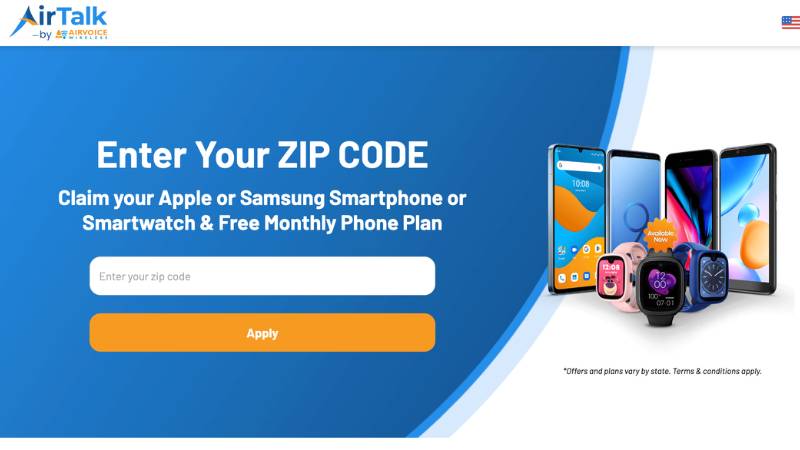
One of these providers is AirTalk Wireless, which offers eligible users access to free or heavily discounted mobile plans that include talk, text, and data. Depending on device compatibility, you may receive either an eSIM or a physical SIM card when you enroll.
To apply, the process is fairly simple. If you participate in programs like SNAP or Medicaid, or meet income-based requirements, you may already qualify. Once approved, you can select a plan and activate your service within a short time.
If you’re ready to cut down on mobile costs and explore your options, visit airtalkwireless.com today to check your eligibility and get started.
Final Thoughts
Figuring out how to know if eSIM is activated doesn’t have to be complicated. By checking a few simple signs and testing basic functions like calls or mobile data, you can quickly confirm whether your connection is working.
If something isn’t right, most issues can usually be fixed with a few simple troubleshooting steps. Once everything is set up correctly, your eSIM provides a flexible and convenient way to stay connected anytime, anywhere.