Can you use an iPhone without a SIM card? Yes, but the features available will depend on how you’re using the device. While you won’t have traditional cellular service, many iPhone functions continue to work over Wi-Fi or eSIM.
This guide explains what happens when your iPhone doesn’t have a SIM card and whether you really need one in 2026.
1. Can You Use an iPhone Without a SIM Card?
Yes, you can use an iPhone without a SIM card, but some features will be limited.
A SIM card connects your iPhone to a carrier’s network for cellular calls, text messages, and mobile data. Without a SIM card, those services won’t work through a traditional mobile network.
However, if the device is connected to Wi-Fi, you can still browse the web, use apps, stream videos, send messages through internet-based services, and access many other features.
In other words, removing the SIM card affects cellular connectivity, not the iPhone itself. For many users, an iPhone without a SIM card can still function as a capable Wi-Fi device.
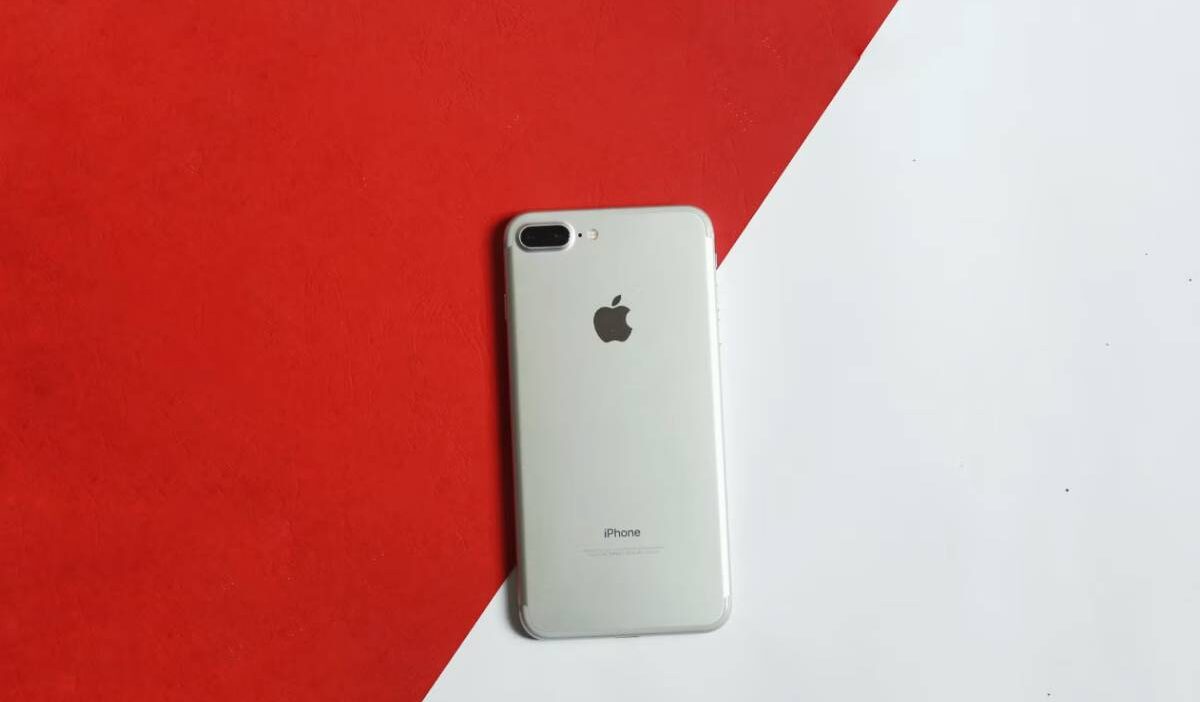
Can you use an iPhone without a sim card? (Image by Pexels)
2. What an iPhone Without a SIM Card Can Still Do
You can still use many iPhone features without a SIM card, especially when connected to Wi-Fi.
- Wi-Fi Calling and FaceTime
FaceTime audio and video calls work normally over Wi-Fi, allowing you to stay in touch with other Apple users.
Some carriers may also support Wi-Fi Calling without an active physical SIM card if the feature was previously set up on the device. However, availability varies by carrier and account status.
- iMessage Over Wi-Fi
iMessage continues to work over Wi-Fi, letting you send texts, photos, videos, voice messages, and group chats to other Apple users.
Because iMessage is linked to your Apple ID, many conversations can continue even after a SIM card is removed.
- Apps, Email, and Browsing
Most apps do not require a SIM card. With a Wi-Fi connection, you can browse the web, check email, stream music and videos, use social media, join video meetings, access cloud storage, and download apps from the App Store.
In short, an iPhone without a SIM card can still function much like a small tablet when connected to Wi-Fi.
3. What an iPhone Without a SIM Card Cannot Do
Can you use an iPhone without a SIM card? Yes, but some important features, including traditional calls, SMS messages, and mobile data, still require an active SIM card or eSIM.
- Regular Phone Calls Over Cellular
Without a SIM card or active eSIM, your iPhone cannot make or receive traditional carrier phone calls. However, internet-based calling apps may still work over Wi-Fi.
- SMS Text Messages
Standard SMS and MMS messages rely on carrier service and won’t work without an active cellular line. This mainly affects communication with non-Apple devices.
- Mobile Data Outside of Wi-Fi
An iPhone without a SIM card cannot connect to a cellular data network. Once you leave a Wi-Fi connection, internet-dependent apps and services will no longer have access to the internet.
In short, a SIM card is still required for traditional calls, text messages, and mobile data service.
| Feature | Requires SIM/eSIM? |
| Phone Calls | Yes |
| SMS/MMS Texts | Yes |
| Mobile Data | Yes |
| FaceTime | No (Wi-Fi works) |
| iMessage | No (Wi-Fi works) |
| Apps & Browsing | No (Wi-Fi works) |
4. How to Activate an iPhone Without a SIM Card
Many users who ask can you use an iPhone without a SIM card are actually trying to determine whether they can set up and activate the device without cellular service.
Many newer iPhones can be activated without inserting a physical SIM card, especially models that support eSIM. However, the exact process depends on your device and carrier.
To activate an iPhone without a SIM card:
- Turn on the iPhone and connect to Wi-Fi.
- Follow the on-screen setup instructions.
- Sign in with your Apple ID when prompted.
- Complete device setup until you reach the Home Screen.
- Add an eSIM later through Settings > Cellular > Add eSIM if you plan to activate cellular service.
Older iPhone models may still request a SIM card during activation, particularly if the device was previously locked to a carrier.
In those cases, connecting to Wi-Fi and updating iOS often resolves the issue, though some devices may require carrier assistance.
It’s also worth noting that activation and cellular service are two different things. An iPhone can often be activated and used on Wi-Fi without a SIM card, even though cellular calling, texting, and mobile data remain unavailable.
5. Tired of Wi-Fi-Only? Get Real Cellular Service for $0/Month
Using an iPhone on Wi-Fi works well for many tasks, but it can become limiting when you need reliable calling, texting, or internet access away from home.
How Lifeline Closes the Coverage Gap
Lifeline is a federal assistance program that helps eligible households access phone service. Through participating providers, qualified users may receive monthly talk, text, and data at reduced or no monthly cost.
For someone relying on a Wi-Fi-only iPhone, Lifeline can be a practical way to restore cellular connectivity and use the device more like a traditional smartphone.
Get an eSIM Plan for Your Existing iPhone in Minutes
Many recent iPhone models support eSIM, making it possible to activate service digitally without inserting a physical SIM card.
Through participating providers such as AirTalk Wireless, eligible users may be able to activate service on a compatible iPhone, keep their current device through BYOD, and complete much of the process online.
>>> Read more: iPhone SIM Card: A Practical Guide for Every Model
6. FAQs
Can an iPhone work on Wi-Fi without a SIM card?
Yes. An iPhone can connect to Wi-Fi and use internet-based services such as FaceTime, iMessage, email, web browsing, and streaming apps without a SIM card.
Can I use FaceTime without a SIM card?
Yes. FaceTime works over Wi-Fi and does not require an active SIM card.
Can I send text messages without a SIM card?
Yes, but for iMessages. You can send iMessages to other Apple users over Wi-Fi. However, standard SMS and MMS messages require an active cellular plan.
Can I activate an iPhone without inserting a SIM card?
Many newer iPhones can be activated using Wi-Fi and later configured with an eSIM. Some older models may still require a SIM card during activation.
7. Conclusion
So, can you use an iPhone without a SIM card? In many cases, yes. An iPhone can still access Wi-Fi, run apps, browse the web, and use services such as FaceTime and iMessage.
However, traditional cellular features like phone calls, SMS messages, and mobile data require an active SIM card or eSIM plan.