Switching carriers becomes difficult very quickly if a phone is still network locked. Many devices purchased through contracts, installment plans, or carrier promotions stay restricted even after months of use.
That is why so many people ask how do I know if my phone is unlocked before inserting a new SIM card, activating eSIM, or changing wireless providers.
Fortunately, there are several quick ways to check lock status on both iPhone and Android devices.
1. What “Unlocked” Actually Means for Your Phone
An unlocked phone is a device that can connect to multiple compatible carriers instead of being restricted to one network only.
This gives users more flexibility to switch providers, use prepaid plans, activate travel SIMs, or set up eSIM service more easily.
Many phones sold directly by carriers are locked during:
- Installment plans
- Contract agreements
- Promotional financing periods
Until the carrier removes those restrictions, the phone may reject SIM cards from other networks.
This is why many people wonder “how do I know if my phone is locked or unlocked” before changing carriers or buying a used phone online.
An unlocked device may allow users to:
- Insert SIM cards from different carriers
- Activate compatible eSIM plans
- Switch providers without carrier approval
- Use international travel SIMs
However, compatibility can still depend on:
- Device model
- Network bands
- Carrier support
- Regional hardware versions
2. How Do I Know If My Phone Is Unlocked? The Fastest Methods
Several quick methods can help confirm whether a phone is carrier locked or fully unlocked. Some checks only take a few seconds directly through device settings.
Insert a SIM Card from a Different Carrier
One of the simplest ways to check lock status is testing another carrier’s SIM card.
To do this:
- Power off the phone
- Insert a SIM card from another carrier
- Restart the device
- Wait for network activation
If the phone connects normally, the device is likely unlocked.
The phone is probably still carrier locked if it displays messages such as:
- SIM not supported
- Network locked
- Invalid SIM
- SIM restriction
Check Carrier Lock Status in Settings (iPhone)
iPhones include a built-in lock status checker inside iOS settings.
To check:
- Open Settings
- Tap General
- Select About
- Scroll to Carrier Lock
Possible results include:
- No SIM restrictions: this means it is unlocked
- Carrier restriction message: this means it is still locked
This is often the fastest answer for users asking how do I know if my phone is unlocked on iPhone.
Check Carrier Lock Status in Settings (Android)
Android devices vary more depending on the manufacturer and carrier.
Some Android phones display carrier information under:
- Settings > Connections
- Settings > Network & Internet
- SIM status sections
- Carrier settings menus
However, many Android phones do not show a direct “unlocked” message as clearly as iPhones.
Because of this, SIM testing is often more reliable on Android devices.
Run an Online IMEI Check
Every phone has a unique IMEI number that can help identify carrier and activation status.
Users can find the IMEI by:
- Dialing *#06#
- Checking device settings
- Looking at the SIM tray or original packaging
Online IMEI checker tools may help reveal:
- Carrier lock status
- Blacklist history
- Warranty information
- Device compatibility
- Lost or stolen reports
Some carriers also provide official IMEI verification tools directly through their websites.
3. Common Signs Your Phone Is Still Locked
Even before running a full carrier check, some warning signs can strongly suggest the device is still network locked.
Common indicators include:
- Another carrier’s SIM card does not activate
- The phone displays “SIM not supported”
- “Network locked” messages appear
- eSIM activation keeps failing
- The carrier lock section shows restrictions
- The device only works with one carrier
Some locked phones may still function normally on the original network, which is why many users do not realize the restriction exists until trying to switch providers.
Travel situations often expose lock problems more quickly because international SIM cards and travel eSIM plans may fail immediately during activation.
4. What to Do If Your Phone Is Locked
After confirming the device is restricted, the next step is usually requesting an official unlock directly from the original carrier.
Request an Unlock from Your Original Carrier
Most major carriers already provide unlock request systems through:
- Customer support
- Online account portals
- Carrier apps
- Official unlock request pages
During the request process, carriers may verify:
- Device IMEI
- Account ownership
- Payment status
- Contract completion
- Fraud or blacklist history
For iPhones, unlocking often happens remotely through Apple’s activation servers instead of requiring manual unlock codes.
Meet the Carrier’s Eligibility Requirements
Many carriers only approve unlock requests after specific conditions are completed.
Common requirements include:
- Full device payment completion
- Contract fulfillment
- Good account standing
- Active service period completion
- No lost or stolen reports
If one of these requirements is incomplete, the carrier may reject or delay the unlock request temporarily.
Avoid Unofficial Unlock Services and Scams
Many websites advertise instant unlocking tools, but unofficial services can create serious risks.
Some third-party unlock services may:
- Charge unnecessary fees
- Fail completely
- Use unsupported software methods
- Cause activation problems
- Request sensitive account information
The safest approach is usually working directly with the original carrier instead of using unofficial unlocking software or risky online services.
5. If You Just Need a Working Plan Right Now: An Easier Alternative
Sometimes the bigger problem is not whether the phone is unlocked. It is simply getting reliable service working again without spending days dealing with carrier support, unlock approvals, or rejected SIM activations.
For eligible households, Lifeline-supported wireless plans may offer a simpler path to staying connected while sorting out device compatibility or carrier lock issues.
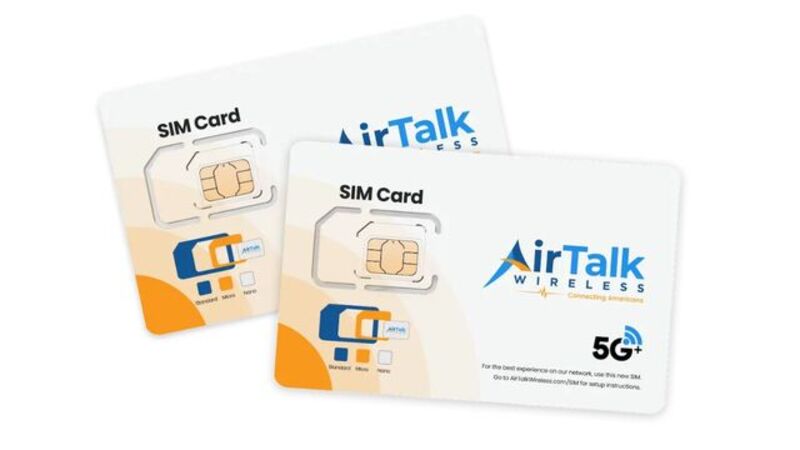
AirTalk Wireless is one of the providers participating in the Lifeline program in supported areas. Depending on eligibility and device compatibility, some users may:
- Activate service with a compatible SIM card
- Bring their own phone
- Access free monthly talk, text, and data
- Explore available phone offers depending on inventory
This can sometimes be useful for people dealing with:
- Old carrier-locked phones
- Temporary service interruptions
- Budget limitations
- SIM activation problems
Read more: Step-by-Step Guide: Best Free Government eSIM for iPhone
6. FAQS
How do I know if my cell phone is unlocked?
One of the fastest methods is inserting a SIM card from another carrier. If the phone connects successfully, the device is usually unlocked. iPhone users can also check under:
Settings > General > About > Carrier Lock
How do I know if my Samsung phone is unlocked?
Samsung phones do not always show a direct unlock message inside settings. The most reliable method is testing another carrier SIM card or running an IMEI check online.
Can an unlocked phone still reject a SIM card?
Yes. Even unlocked phones may reject certain SIM cards if network bands, carrier compatibility, or regional hardware versions do not match properly.
Do carriers unlock phones automatically?
Some carriers unlock phones automatically after eligibility requirements are completed, while others still require a manual unlock request.
Conclusion
Questions like how do I know if my phone is unlocked usually become important right before switching carriers, activating a new SIM card, or buying a used device. Checking SIM compatibility, carrier lock settings, and IMEI status can help avoid activation problems and make it much easier to understand whether the phone is truly ready for another network.