Finding the best free government eSIM for iPhone doesn’t have to be confusing. Through the Lifeline program, eligible users can receive a monthly discount on phone service – and many approved providers now offer fast, no-cost eSIM activation on compatible iPhone models.
Whether you qualify through income guidelines or participate in programs like Medicaid, SNAP, Supplemental Security Income (SSI), or the Veterans Pension, getting started is easier than many people think.
1. Is It Possible to Get a Free Service with eSIM at No Cost?
If you qualify for the Lifeline program, you can receive a free eSIM from participating providers. Lifeline is a federal assistance program that offers a monthly discount on phone service for eligible low-income households. Companies such as AirTalk Wireless provide approved applicants with service that can be activated using a free eSIM.
Through Lifeline, eligible users can receive $9.25 per month in most states and up to $34.25 per month for those living on Tribal lands.
An eSIM allows you to begin service quickly since there is no physical SIM card to ship. Once your application is approved, you’ll typically receive a QR code you can scan to add it directly to your phone. eSIM is compatible with iPhone XR and newer models.
In addition, many Lifeline providers offer free iPhones or discounted device upgrades along with complimentary eSIM activation. If you prefer to keep your current phone, you can select the BYOD (Bring Your Own Device) option and still receive free eSIM activation, as long as your device is compatible.
If your iPhone supports eSIM technology and you meet Lifeline eligibility requirements, you can activate your phone service right away with a free eSIM from a participating provider.

Read more: Free Government iPhone 13 Pro Max: How to Qualify
2. How to Get a Free Government eSIM for iPhone (Step-by-Step)
Before starting the activation process, make sure you qualify for Lifeline and select a reliable service provider. After confirming your eligibility and choosing a company, you can proceed with setting up your free eSIM on your iPhone.
2.1. Verify Your Lifeline Eligibility
To receive a free government eSIM for iPhone through Lifeline, you must meet the program’s requirements. Eligibility is determined either by income level or participation in certain government assistance programs.
Income-Based Qualification: Your household income must be at or below 135% of the Federal Poverty Guidelines.
Program-Based Qualification: You may also qualify if you participate in one of the following programs:
- Medicaid
- SNAP / EBT
- SSI
- Federal Public Housing Assistance
- Veterans Pension
- Certain Tribal assistance programs
If you meet any of these requirements, you can move forward with selecting a provider.
2.2. Choose a Reliable Lifeline Provider
A well-known Lifeline provider is AirTalk Wireless. The company offers Lifeline service with free SIM or eSIM options, as well as free or discounted smartphones for qualified applicants.
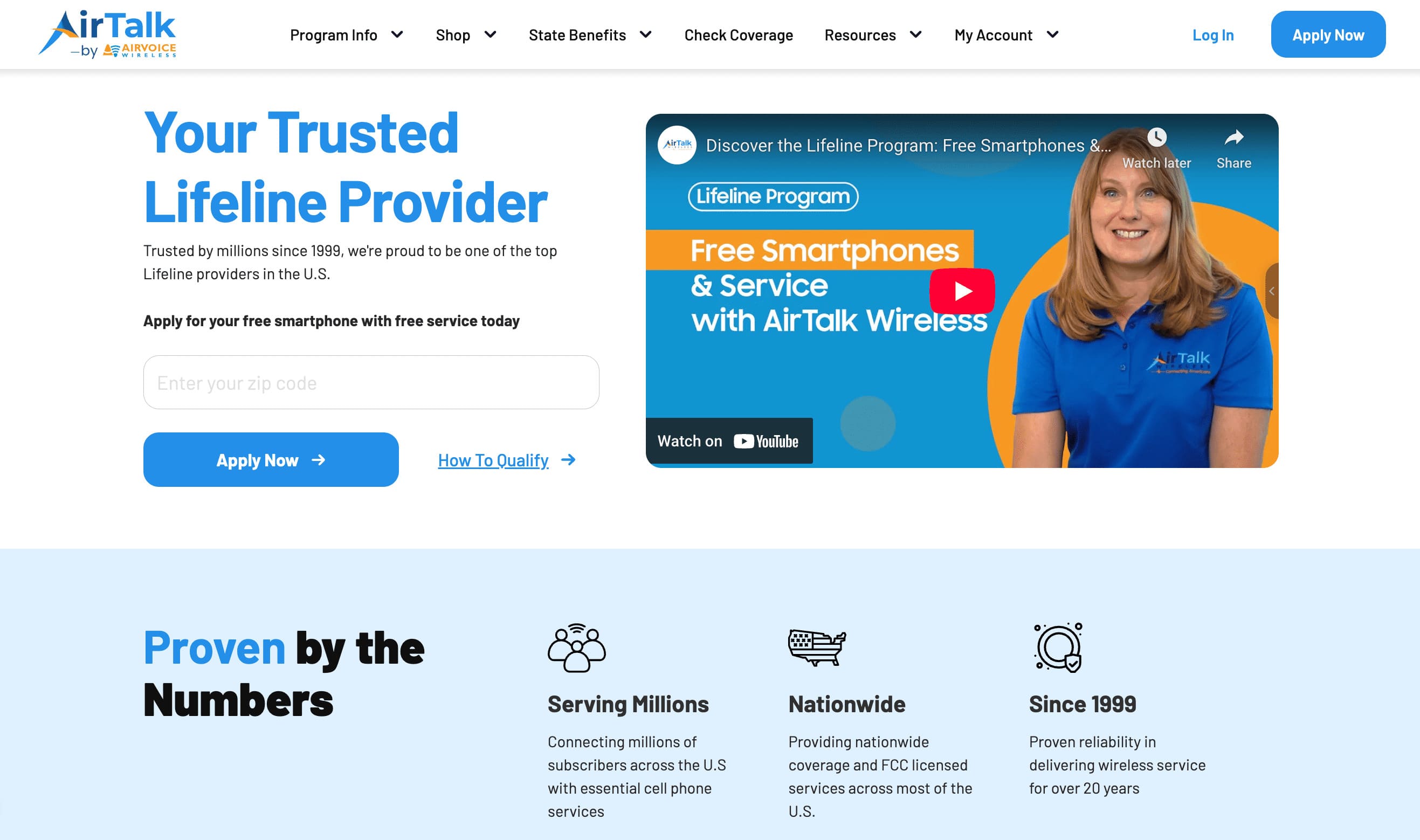
When applying through AirTalk Wireless, eligible users may receive benefits such as:
- Free eSIM with a free iPhone plan or with the Bring Your Own Phone (BYOP) option
- Free monthly data (varies by state guidelines)
- Unlimited talk and text
- International calling to over 200 countries & territories at no additional cost
2.3. Sign Up & Activate Your Free Government Phone Service with eSIM
The process is simple and completed online. Follow these steps:
- Visit AirTalk Wireless website
- Enter your ZIP code to view available plans in your area
- Select the Lifeline plan that fits your needs
- Choose Bring Your Own Device (BYOD) if you only need an eSIM, or select a free or discounted smartphone
- Upload any required eligibility documents
- Submit your online application
Once your application is approved, you’ll typically receive your eSIM QR code right away. Simply scan the code with your iPhone to install the eSIM and begin using your free service immediately.
If you experience any issues during setup, you can contact AirTalk Wireless customer support for assistance.
3. Common Problems and How to Fix Them
While activating your free government eSIM for iPhone is usually simple, you might run into a few minor issues. Below are some of the most frequent problems and practical solutions to resolve them.
1. eSIM Won’t Activate
Sometimes your iPhone may not activate the eSIM on the first attempt. In many cases, a network reset solves the issue.
To reset your network settings:
- Open Settings
- Tap General
- Select Transfer or Reset iPhone
- Tap Reset
- Choose Reset Network Settings
After the reset, restart your iPhone and scan the QR code again to complete activation.
2. iPhone Is Carrier Locked
If your iPhone is locked to another carrier, it will not accept a new eSIM from a different provider.
To check whether your device is unlocked:
- Go to Settings
- Tap General
- Select About
- Find Carrier Lock
If it says “No SIM restrictions,” your phone is unlocked and ready to use.
If it shows that the device is locked, you’ll need to contact your original carrier and request an unlock before proceeding.
3. Incorrect IMEI Entered
Entering the wrong IMEI during your application can prevent activation. Make sure you provide the correct number.
You can locate your IMEI in one of two ways:
- Dial *#06# on your iPhone
- Or go to Settings > General > About, then scroll to IMEI
Be sure to use the IMEI listed under “IMEI” (not IMEI2 unless specifically instructed). Once confirmed, submit the correct IMEI to your provider to complete activation successfully.
Read more: How to Get the Best Free 5G Government Phones
4. Frequently Asked Questions (FAQs)
Is there a free government phone with eSIM?
While Lifeline provides the monthly service discount, the selected provider may offer free phone with free eSIM activation once your application is approved. AirTalk Wireless is known for offering strong eSIM support and a wider selection of smartphones.
How to get free eSIM number on iPhone?
To receive a free eSIM number, you must first qualify for the Lifeline program and apply through an approved provider, like AirTalk Wireless. After approval, you’ll receive a QR code that installs the eSIM on your iPhone.
Most iPhones beginning with the iPhone XR and newer models are compatible with eSIM technology. In fact, newer U.S. iPhones that no longer include a physical SIM tray operate exclusively on eSIM.
What is the best free government phone program with free phone?
The Lifeline program is widely considered the best free government phone program. It provides a monthly discount on service and allows approved carriers to offer free or discounted cell phones along with free SIM card or free eSIM activation.
Conclusion
Getting free phone service for your iPhone is no longer complicated or time-consuming. With a free government eSIM for iPhone through the Lifeline program, you can activate service quickly without waiting for a physical SIM card in the mail.