Buying a new phone or changing carriers often means choosing the right SIM cards for phones. With several SIM sizes available and more devices adopting eSIM technology, it’s not always obvious which option your phone supports or whether your current SIM will still work.
This guide explains the different types of SIM cards, how to identify the one your phone uses, what to consider before choosing between a physical SIM and an eSIM, and where you can get a compatible SIM card for your device.
1. What Is a SIM Card and Why Does Your Phone Need One?
A SIM (Subscriber Identity Module) card is a small chip that connects your phone to your mobile carrier’s network. Without it, your phone can’t identify your subscriber account, which means you won’t be able to make calls, send text messages, or use mobile data through your carrier.

A SIM card contains the information needed to authenticate your account, allowing your phone to access your wireless plan whenever it’s connected to a compatible network. While modern smartphones store photos, apps, and most personal data internally or in the cloud, the SIM remains the key that links your device to your mobile service.
Today, many phones still use physical SIM cards, while newer models also support or rely entirely on eSIM technology.
2. Types of SIM Cards for Phones
Although every SIM card performs the same basic function, they come in several different formats. Choosing the correct type depends on the phone you own.
Standard SIM
The Standard SIM, sometimes called a mini SIM card, measures 25 × 15 mm and was widely used in older mobile phones and early smartphones.
Most modern devices no longer support this size, but you may still encounter it in older feature phones or legacy devices.
Micro SIM
The Micro SIM is smaller than the Standard SIM and measures 15 × 12 mm.
It became common in smartphones released during the early 2010s before manufacturers transitioned to even smaller SIM cards. Some older Android phones and tablets still use this format.
Nano SIM
The Nano SIM is the most widely used physical SIM card today.
Measuring just 12.3 × 8.8 mm, it fits most modern iPhones and Android smartphones. If your phone has a physical SIM tray, there’s a good chance it uses a Nano SIM.
eSIM
Unlike traditional SIM cards, an eSIM is built directly into the phone and doesn’t require a removable card.
Instead of inserting a physical SIM, you activate your mobile plan digitally through your carrier. Many recent smartphones support both a Nano SIM and an eSIM, while some newer devices, such as U.S. versions of recent iPhones, use eSIM exclusively.
3. Which SIM Card Does Your Phone Use?
Before buying or activating SIM cards for phones, it’s important to know which type your device supports. The required SIM depends on the phone’s manufacturer, model, and release year.
iPhone Models
Most iPhones from the iPhone 5 through the iPhone 13 use a Nano SIM and also support eSIM on newer models.
Beginning with the iPhone 14 lineup sold in the United States, Apple removed the physical SIM tray, making those models eSIM only. iPhones sold in many other countries still support both Nano SIM and eSIM.
If you’re unsure which SIM your iPhone uses, check Settings > General > About or review Apple’s device specifications.
Android Phones
Most Android smartphones released in recent years also use Nano SIM cards.
Many flagship devices from Samsung, Google, Motorola, and other manufacturers now support eSIM in addition to a physical Nano SIM, although availability may vary by model, carrier, and region.
Checking your phone’s specifications or user manual is the easiest way to confirm compatibility.
eSIM-Only Devices
A growing number of smartphones no longer include a physical SIM tray.
These devices require you to activate service digitally through an eSIM profile provided by your carrier. Before switching phones, confirm that both your carrier and your device support eSIM activation.
4. How to Choose the Right SIM Card for Your Phone
Selecting the right SIM cards for phones is usually straightforward once you know your device’s requirements. Consider the following factors before purchasing or activating a SIM.
Check SIM Size Compatibility
Always verify which SIM size your phone accepts before ordering a new SIM card.
Using the wrong size can prevent the SIM from fitting properly, while cutting or modifying a SIM card yourself may damage it. Most carriers provide multi-size SIM kits that can be separated into Standard, Micro, or Nano SIM formats as needed.
Consider Your Carrier
Not every SIM card works with every carrier.
Some phones are locked to a specific carrier, while unlocked phones can generally accept SIM cards from compatible networks. Before switching providers, confirm that your phone supports the carrier’s network technologies and frequency bands.
Choose Between Physical SIM and eSIM
If your phone supports both options, consider which best fits your needs.
A physical SIM is easy to move between compatible phones, making it convenient if you switch devices frequently.
An eSIM eliminates the need for a removable card and allows you to activate service digitally, which can simplify setup and make it easier to manage multiple phone plans on one device.
5. Where to Get a SIM Card for Your Phone
There are several ways to get SIM cards for phones, depending on whether you’re starting a new wireless plan, switching carriers, or replacing an existing SIM. The best option depends on your device, your carrier, and whether you need a physical SIM or an eSIM.
Mobile Carriers
The most common place to get a SIM card is directly from your mobile carrier.
Most carriers offer SIM cards through their retail stores, customer service centers, and official websites. If you’re opening a new line or replacing a damaged SIM, the carrier can help activate your service and confirm that the SIM is compatible with your phone.
Many carriers also provide multi-size SIM kits that include Standard, Micro, and Nano SIM formats in one card, making them compatible with a wide range of devices.
Online SIM Providers
You can also order SIM cards online from carriers and other wireless service providers.
This option is convenient if you want to compare plans before choosing a provider or have a SIM card shipped to your home before activating service. Many providers also support online eSIM activation, allowing compatible phones to connect without waiting for a physical SIM to arrive.
Before placing an order, make sure the SIM supports your phone model and your carrier’s network.
Free SIM Cards Through Lifeline Providers
If paying for monthly phone service has become difficult, the federal Lifeline program may help. Lifeline is a government assistance program that provides a monthly discount on phone or internet service for eligible low-income households. Participating providers may also offer a compatible SIM card or eSIM when customers enroll in a qualifying wireless plan.
To qualify for Lifeline, you generally must meet one of the following requirements:
- Income-based eligibility: Your household income is at or below 135% of the Federal Poverty Guidelines (or the applicable limit in your state).
- Program-based eligibility: You participate in a qualifying government assistance program, such as: Medicaid, Supplemental Nutrition Assistance Program (SNAP), Supplemental Security Income (SSI), Federal Public Housing Assistance (FPHA), Veterans Pension or Survivors Pension.
Furthermore, you can receive the Lifeline benefit through a participating provider.
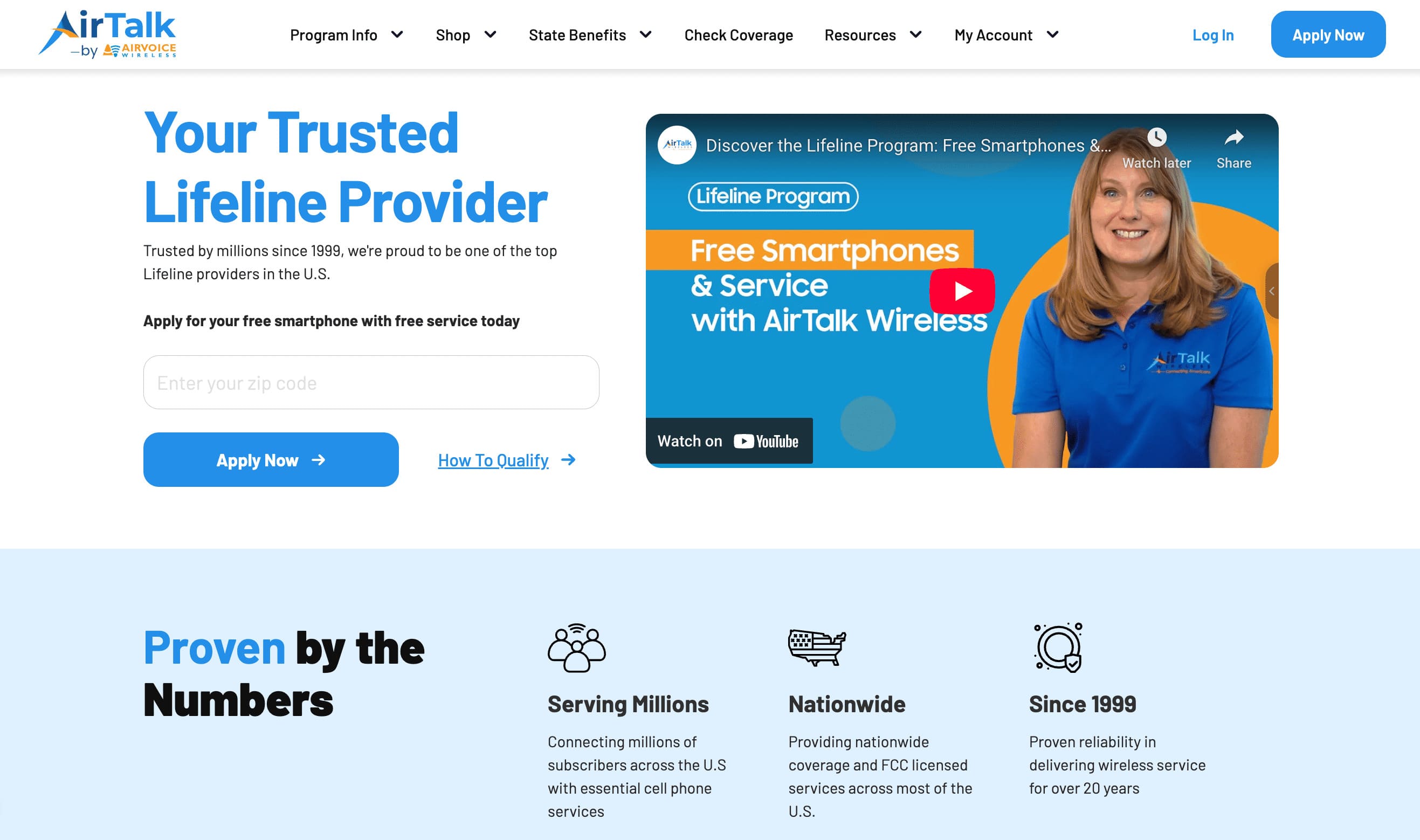
As a participating Lifeline provider, AirTalk Wireless offers qualifying customers affordable wireless plans and, depending on eligibility and available inventory, the option to receive a discounted smartphone.
Customers can also choose service with a physical SIM card or eSIM during the application process.
Applying is straightforward:
- Visit the AirTalk Wireless website.
- Enter your ZIP code and select Apply Now.
- Choose the Lifeline plan that best fits your needs.
- Select an available smartphone if eligible, or bring your own compatible device.
- Verify your eligibility by income or participation in a qualifying government assistance program.
- Upload supporting documents if requested, submit your application, and complete SIM or eSIM activation after approval.
For eligible households, Lifeline can be an affordable way to stay connected while receiving a compatible SIM card and reliable wireless service.
Read more: How to Text Without a SIM Card: 6 Hacks to Send Messages Without Cellular Service
6. FAQs
What size SIM card do most phones use today?
Most modern smartphones use a Nano SIM. However, many newer devices also support eSIM, and some recent phones no longer include a physical SIM slot.
Can I use the same SIM card in a different phone?
Yes. If the new phone is compatible with your carrier and uses the same SIM size, you can usually move your SIM card and continue using your existing phone number and service.
Are all SIM cards compatible with every carrier?
No. Some phones are locked to a specific carrier, and not all SIM cards work on every network. Always check compatibility before switching carriers or purchasing a new SIM.
Is eSIM better than a physical SIM?
Neither option is universally better. A physical SIM is easy to move between compatible devices, while an eSIM allows digital activation without inserting a card. The best choice depends on your phone and your carrier’s support.
7. Conclusion
The best SIM cards for phones are the ones that match both your device and your carrier. Taking a few minutes to verify compatibility before buying or activating a SIM can save you time and help you avoid unnecessary setup problems later.