
Getting a new SIM card is only half the process. Until it’s activated, your phone won’t be able to make calls, send texts, or use mobile data.
Most carriers provide several ways to activate service, whether that’s through a website, mobile app, customer support representative, or a simple QR code for eSIM devices.
This guide explains how to activate a SIM card, what information you’ll need beforehand, and what to do if activation doesn’t work the first time.
1. What You Need Before Starting to Activate a SIM Card
Most activation problems happen before the process even begins
A SIM card may fail to activate because the phone is locked, the wrong information was entered, or the carrier account isn’t ready yet. Taking a few minutes to gather everything you’ll need can make the process much smoother.
Before you activate a SIM card, make sure you have:
- The SIM card or eSIM QR code provided by your carrier
- An unlocked and compatible phone
- Your account number or activation code (if required)
- A stable internet connection
- The SIM card number (ICCID) if requested during activation
- Any porting information if you’re transferring an existing phone number
2. How to Activate a SIM Card
The exact screens vary from one provider to another, but the overall process is surprisingly similar across most carriers.
Step 1: Insert the SIM (or Scan the eSIM QR)
Start by installing the SIM card in your phone or adding the eSIM profile to your device.
For physical SIM cards, power off the phone, insert the SIM into the correct tray, and restart the device. If you’re activating an eSIM, open your phone’s cellular settings and scan the QR code supplied by the carrier.
At this stage, don’t worry if the phone doesn’t immediately connect to the network. Activation usually happens after the carrier receives and processes your request.
Step 2: Visit the Carrier’s Activation Page
Once the SIM is installed, head to the carrier’s activation portal or mobile app.
Most providers include activation instructions in the SIM package or confirmation email. If you’re activating a new line, this is typically where you’ll create an account, select a plan, or verify your order information.
Some carriers also offer activation through customer support if you prefer assistance during the process.
Step 3: Enter Your SIM and Account Details
The carrier will usually ask for information that links the SIM card to your account.
This may include the SIM card number (ICCID), phone IMEI, activation code, account information, or number transfer details if you’re bringing an existing number from another provider.
Take a moment to double-check everything before submitting. A simple typo can delay activation and create unnecessary troubleshooting later.
Step 4: Wait for Provisioning to Complete
After submitting the activation request, the carrier needs time to provision the line on its network.
In many cases, activation is completed within a few minutes. Some providers may take longer, especially if a number transfer is involved. During this period, your phone may temporarily show no service or cycle between different network states.
Patience is important here. Repeatedly restarting the process usually won’t make activation happen faster.
Step 5: Test Calls, Texts, and Data
Once the carrier confirms activation, run a few quick tests before considering the setup complete.
Try making a phone call, sending a text message, and opening a website using mobile data with Wi-Fi turned off. These simple checks confirm that the SIM is properly connected and that all major services are working as expected.
If any of these functions fail, a quick restart often resolves minor provisioning delays.
3. How Activation Differs by Carrier Type
While the basic activation process remains similar, the experience can vary depending on the type of provider you’re using.
Postpaid Carriers
Postpaid carriers often tie activation to a customer account and monthly billing relationship.
As part of the setup process, users may need to verify identity information, select a service plan, complete credit verification requirements, or transfer an existing phone number. Because of these additional steps, activation can sometimes take longer than prepaid alternatives.
The tradeoff is that postpaid plans often include additional services, device financing options, and premium support.
Prepaid and MVNO Carriers
Prepaid providers and MVNOs typically focus on speed and simplicity.
Most activations can be completed entirely online without contracts or lengthy account verification processes. Users select a plan, activate the SIM, and begin service once payment is confirmed.
This streamlined approach is one reason prepaid plans remain popular among students, travelers, and budget-conscious users.
Travel and eSIM Providers
Travel-focused providers usually prioritize convenience above all else.
Many allow users to purchase service before a trip, install the eSIM profile in advance, and activate the plan upon arrival. Since these services are designed for temporary use, activation often requires fewer account details than traditional carrier plans.
For short-term visitors, this can be one of the fastest ways to get connected without visiting a store or waiting for a physical SIM card to arrive.
4. Common Activation Problems and Their Fixes
Even when you follow the instructions correctly, activation doesn’t always go smoothly on the first try.
The good news is that most activation issues have relatively simple causes and can often be resolved without replacing the SIM card.
| Problem | Possible Cause | Quick Fix |
| SIM not provisioned error | Activation hasn’t completed yet | Wait a little longer and restart the phone |
| No service after activation | Network registration delay | Toggle Airplane Mode or restart the device |
| Invalid SIM message | Carrier lock or compatibility issue | Verify the phone is unlocked and supported |
| Unable to transfer phone number | Porting request still processing | Contact the carrier and check transfer status |
| Mobile data not working | APN settings missing | Update carrier settings or request APN information |
| eSIM won’t activate | QR code expired or device incompatible | Request a new QR code and verify eSIM support |
| SIM not detected | SIM card not seated correctly | Remove and reinsert the SIM card carefully |
If you’ve worked through these fixes and service still isn’t active, it’s usually time to contact the carrier directly.
They can confirm whether the line has been provisioned properly and identify any account-related issues that may be preventing activation.
5. Want a Faster Route? Free At Home Activation for Those Who Qualify
Not everyone wants to visit a carrier store, wait in line, or spend time comparing activation fees.
For eligible households, there may be a simpler option.
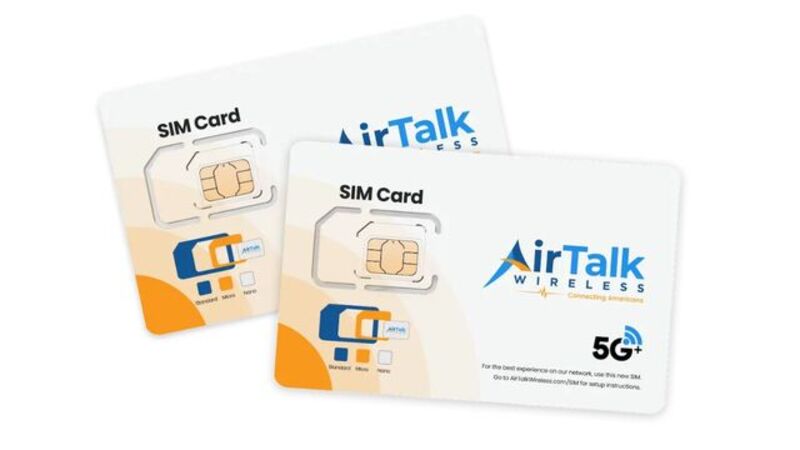
AirTalk Wireless is a wireless service provider that participates in the federal Lifeline program, which helps qualifying individuals and families access affordable phone service. Qualified users may receive free or low-cost service that includes monthly talk, text, and data benefits.
The entire process can typically be completed from home:
- Check eligibility based on household income or participation in programs such as SNAP, Medicaid, or SSI.
- Visit the AirTalk Wireless website and enter your ZIP code to confirm availability.
- Choose a plan and verify device compatibility.
- Complete the online application and upload any required documents.
- Activate service after approval using a physical SIM card or eSIM, depending on the device.
For users considering eSIM, AirTalk also provides an eSIM Compatibility Checker that can quickly confirm whether a device supports eSIM activation before applying.
Instead of driving to a store and leaving with a SIM card that still needs to be activated, many users can complete the entire process online and start service from home.
Read more: How To Remove An eSIM From iPhone: Easy Guide For All Models
6. FAQs
How long does it take to activate a SIM card?
Most SIM cards activate within a few minutes, although some activations can take several hours. Number transfers may take longer depending on the carrier.
Can I activate a SIM card without calling the carrier?
Usually, yes. Many providers allow activation through their website, mobile app, or online account portal.
Why is my SIM card activated but not working?
This can happen when network provisioning is still in progress, the phone is carrier locked, or carrier settings haven’t updated yet. Restarting the device often resolves temporary issues.
Do I need Wi-Fi to activate a SIM card?
Not always, but having an internet connection can make the process easier, especially when activating an eSIM or completing online account setup.
Conclusion
The process of how to activate a SIM card is usually much simpler than people expect. Once the SIM is installed and the carrier finishes activating the line, most users are connected within minutes.
If activation doesn’t work right away, don’t assume the SIM is faulty. More often than not, a quick compatibility check or a little extra time for provisioning is all that’s needed to get service up and running.