Deleting an eSIM may seem harmless at first. After all, it is only a digital carrier profile stored on the phone.
However, removing an eSIM can sometimes lead to unexpected problems if you’re not prepared, especially when a replacement activation code is not readily available.
That is why many people pause before tapping the delete button and ask: what happens if I delete eSIM?
1. What Happens If I Delete eSIM from My Phone?
Deleting an eSIM removes the carrier profile stored on the device. Once the profile is gone, the phone can no longer use that cellular line unless the eSIM is activated again.
Depending on your carrier and account setup, the result could be as simple as reinstalling the profile later or as inconvenient as losing service until the carrier issues a new activation code.
In many cases:
- The phone number remains active with the carrier
- The cellular plan disappears from the device
- Calls, texts, and mobile data stop working on that phone
- A new activation process is required before service returns
This is where many people get caught off guard. Deleting an eSIM does not always cancel the wireless account, but it does disconnect the device from the carrier profile that provides service.
Some carriers make recovery easy through apps or QR codes. Others require customer support to generate an entirely new eSIM profile.

2. Should You Delete the eSIM and Try Again to Fix Issues?
When activation problems appear, deleting the eSIM is often suggested as a troubleshooting step. Sometimes it works. Sometimes it creates an even bigger problem.
When Deleting Actually Solves the Problem
Removing and reinstalling an eSIM can help when the carrier profile itself becomes corrupted or fails during setup.
Situations where deletion may help include:
- Activation stuck for several hours
- Incorrect carrier information
- Incomplete profile downloads
- Failed eSIM transfers between devices
In these cases, reinstalling a fresh carrier profile can often restore service successfully.
When It Makes Things Worse
Deleting an eSIM without a recovery plan can leave the device without cellular service entirely.
Problems may arise when:
- The original QR code can only be used once
- The carrier requires manual reactivation
- Customer support is unavailable
- Account verification becomes necessary
This is why deleting an eSIM should usually be treated as a last troubleshooting step rather than the first one.
3. Common Problems After Deleting an eSIM (And Fixes)
Even when the deletion process works correctly, service may not return immediately.
No Service on the New Profile
The replacement eSIM may install successfully but still fail to connect.
Possible causes include:
- Activation delays
- Carrier provisioning issues
- Incorrect APN settings
- Network outages
Waiting a few minutes and restarting the device often resolves temporary activation delays.
Old Number Won’t Reconnect
Sometimes the phone number remains active with the carrier but cannot reconnect to the replacement eSIM.
This usually happens when:
- The original profile was permanently disabled
- The transfer process was incomplete
- The carrier requires a new activation request
In most cases, contacting the carrier is necessary to restore the line.
“Cellular Plan Cannot Be Added” Error
This error commonly appears after reinstalling an eSIM.
Potential causes include:
- Expired QR codes
- Previously used activation codes
- Device compatibility issues
- Carrier account restrictions
A newly generated activation profile often resolves the problem.
4. What to Do Before You Delete Your eSIM
A few minutes of preparation can prevent hours of frustration later.
Before removing an eSIM, make sure there is a clear path to reactivate service if needed.
Back Up Your Carrier Settings
Although carrier settings do not usually restore an eSIM automatically, keeping the phone updated can help avoid compatibility issues during reactivation.
Before deleting the profile:
- Install pending carrier updates
- Update the device software
- Confirm account access information
These steps can make recovery smoother if something goes wrong.
Confirm You Can Get a Replacement QR Code
This is arguably the most important step.
Before deleting the eSIM, verify:
- Whether the carrier allows reinstallation
- Whether a new QR code can be generated
- Whether activation can happen through the carrier app
Knowing the answer beforehand eliminates much of the risk.
Note Down Your eSIM Number (ICCID)
The ICCID is a unique identifier associated with the SIM profile.
Recording it before deletion may help when:
- Contacting carrier support
- Troubleshooting activation issues
- Verifying account ownership
- Requesting profile replacement
While it may not always be required, having the ICCID available can speed up the recovery process significantly.
Read more: Unlocked SIM Free Phones: What They Mean and How to Get the Right One in 2026
5. How to Recover an eSIM After Deletion
The recovery process depends largely on the carrier. Some providers make reinstating an eSIM relatively simple, while others require a completely new activation profile before service can return.
Contact Your Carrier for a New Activation Code
If the original eSIM profile was permanently removed, the carrier can usually generate a replacement activation code.
When contacting support, be prepared to provide:
- Account verification information
- Device IMEI number
- Phone number associated with the line
- The device model
Many carriers can issue a new activation code within minutes, although some may require additional security verification.
Re-Add via Carrier App or QR Code
After receiving a replacement profile, installation typically happens through one of two methods.
Many carriers support:
- QR code activation
- Direct setup through the carrier app
Once the profile downloads successfully, calls, texts, and mobile data should return as normal.
When Recovery Is Not Possible
While uncommon, there are situations where recovering the deleted profile itself is impossible.
Examples include:
- One-time activation profiles that cannot be reused
- Expired QR codes
- Discontinued carrier plans
- Closed wireless accounts
In these cases, the carrier generally creates a brand-new eSIM profile rather than restoring the original one.
6. Need a Fresh eSIM Profile Without the Hassle?
Deleting an eSIM is sometimes unavoidable, especially when switching devices, changing carriers, or troubleshooting activation problems. The challenge comes afterward. Not every carrier handles eSIM recovery the same way, and some require multiple verification steps before a new profile can be issued.
In the best-case scenario, a replacement eSIM can be downloaded within minutes through a carrier app or online account.
In other situations, you may need to contact customer support, wait for a new QR code, or complete additional identity verification before service can be restored.
That is why it helps to choose a provider that offers straightforward eSIM management from the beginning.
Many modern carriers now support:
- Digital eSIM activation
- Self-service account management
- QR code downloads
- Device-to-device transfers
- Online profile replacement
These tools can significantly reduce downtime if an eSIM needs to be reinstalled later.
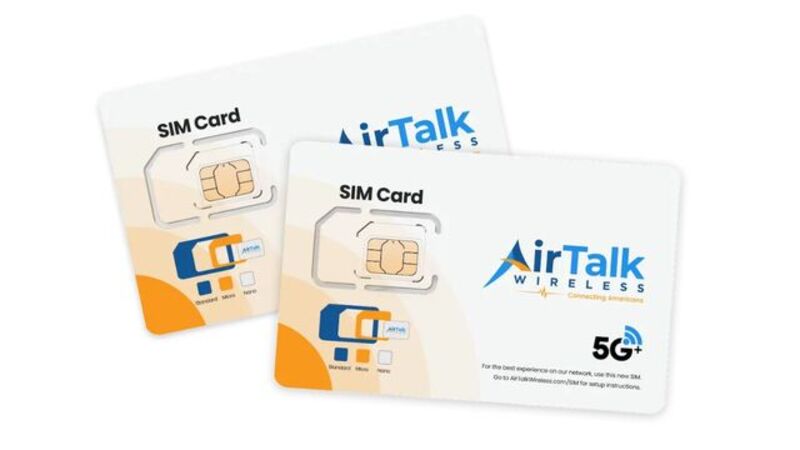
For households looking for affordable wireless service, participating Lifeline providers such as AirTalk Wireless also support eSIM activation on compatible devices.
AirTalk differs from many providers because it combines Lifeline benefits with flexible device options, including Bring Your Own Device activation for supported phones.
Qualifying customers may receive:
- Monthly talk
- Text messaging
- Mobile data
- eSIM activation on compatible devices
- Access to smartphone and tablet offers, availability varies by state
This can be especially useful if a deleted eSIM needs to be replaced quickly. Instead of relying solely on physical SIM delivery, compatible devices can often be activated digitally and connected much faster.
7. FAQs
Should I Delete eSIM and Try Again?
Only if the carrier recommends it or other troubleshooting steps have failed. Deleting an eSIM can resolve corrupted profiles, but it may also require a completely new activation process afterward.
How Do I Turn Off eSIM and Go Back to Normal?
You do not necessarily need to delete the eSIM. Many phones allow the eSIM line to be temporarily turned off in Cellular settings while keeping the profile installed.
What Happens If I Delete My eSIM AT&T?
Deleting an AT&T eSIM removes the profile from the device and stops service on that phone. In many cases, AT&T will need to provide a new activation method before the line can be reinstalled.
Will Deleting an eSIM Cancel My Phone Number?
Usually no. The phone number typically remains associated with the carrier account unless the service itself is cancelled.
Can I Delete an eSIM Without Factory Resetting My Phone?
Yes. eSIM profiles can be removed independently through the phone’s cellular settings without erasing apps, photos, or personal data.
8. Conclusion
Deleting an eSIM is often more significant than removing a physical SIM card because the recovery process depends on carrier policies, activation tools, and profile availability. A quick tap on “Delete eSIM” can sometimes lead to a simple reinstall, but it can also mean contacting support and requesting a brand-new activation profile.
When considering what happens if I delete eSIM, the safest approach is to confirm recovery options before making any changes. Having a replacement QR code, access to your carrier account, or a clear reactivation path can prevent unnecessary service interruptions and make the process much easier to manage.