Using the wrong SIM size is still one of the fastest ways to run into activation problems on older iPhones. The issue becomes even more common when moving a SIM card between devices or trying to reuse an older carrier plan on newer phones.
That is why iPhone 6s SIM card size still matters in 2026, especially for people keeping older devices active as backup phones or secondary lines.
1. The Accurate iPhone 6s SIM Card Size
The iPhone 6s uses a nano-SIM card, which is the smallest physical SIM format commonly used in modern smartphones. Using the wrong size SIM can prevent activation completely or even damage the SIM tray if forced incorrectly.
What Size SIM Card Is in An iPhone 6s?
The correct iPhone 6s SIM card size is Nano-SIM (4FF format).
The iPhone 6s does not support:
- Micro-SIM cards
- Standard SIM cards
- eSIM activation
If an older SIM card is too large, it usually needs either:
- A proper carrier replacement
- A professionally cut nano-SIM
Using poorly trimmed SIM cards can create detection problems later.
How to Insert or Change a SIM Card on iPhone 6s
The SIM tray is located on the right side of the iPhone 6s.
To insert or replace the SIM card:
- Power off the iPhone if possible
- Insert a SIM eject tool or paper clip into the small pinhole
- Remove the tray carefully
- Place the nano-SIM into the tray with the cut corner aligned properly
- Slide the tray back gently until fully seated
Once the phone powers back on, the carrier signal should appear automatically if the SIM is active and compatible.
2. Common SIM Problems on iPhone 6s and How to Fix Them
Older iPhones can sometimes develop SIM-related issues over time, especially after repeated SIM swaps or network changes.
“No SIM Card” Error After Inserting
This message may appear if:
- The SIM card is not seated correctly
- The SIM tray is slightly misaligned
- The SIM is damaged
- The carrier line is inactive
Removing and reinserting the nano-SIM carefully often resolves the issue.
SIM Card Not Detected
If the iPhone 6s cannot recognize the SIM card at all, possible causes may include:
- Dust or debris inside the tray
- Carrier lock restrictions
- A damaged SIM reader
- An outdated carrier settings profile
Testing the SIM in another phone can help determine whether the issue comes from the SIM card itself or the iPhone hardware.
Network Lost Frequently
Frequent signal drops may happen because of:
- Aging antenna hardware
- Older carrier band support
- SIM wear over time
- Weak LTE coverage in certain areas
Resetting network settings sometimes improves stability temporarily, although hardware aging can still affect long-term performance.
Read more: SIM Network Unlock PIN Free: What’s Worth Trusting in 2026
3. Should You Upgrade from iPhone 6s?
The iPhone 6s still works for basic communication and light app usage, but several limitations have become much more noticeable compared to newer phones.
Battery and Performance Limitations
Many iPhone 6s devices now experience faster battery drain, slower app performance, longer loading times, which reduce multitasking capability.
Battery replacements may help temporarily, but aging processors and memory limitations still affect overall responsiveness.
Software Support Ending Soon
Older iPhones eventually lose support for newer iOS updates and security patches.
As software support fades, the iPhone 6s may face:
- App compatibility problems
- Reduced security protection
- Missing newer iOS features
- Slower performance optimization
That can gradually make the device harder to use reliably long term.
Missing Out on eSIM and Modern Features
The iPhone 6s also belongs to the generation before Apple introduced eSIM support.
That means the phone cannot use:
- Digital SIM activation
- Dual SIM functionality through eSIM
- Faster remote carrier switching
- eSIM-only wireless plans
Newer iPhones now support much more flexible carrier setups that simplify travel, dual-line usage, and activation overall.
4. Affordable Ways to Upgrade Your Phone and Plan
The iPhone 6s can still handle basic calling and texting, but keeping older hardware running smoothly often becomes more expensive over time through battery replacements, slower performance, and limited software support.
Fortunately, upgrading no longer always means paying premium flagship prices upfront.
Trade-In Programs and Refurbished Options
One lower-cost path is moving to a refurbished or trade-in eligible iPhone that already supports newer features like eSIM and dual SIM functionality.
Trade-in programs may also help reduce upgrade costs depending on the condition of the iPhone 6s.
Government Assistance Through Lifeline
Some households may also qualify for lower-cost wireless service through the Lifeline program.
Lifeline is a federal assistance program designed to help eligible low-income households access more affordable communication services through participating providers.
Depending on eligibility and provider availability, benefits may include monthly talk, text messaging, mobile dat, compatible nationwide coverage, and smartphone offers on supported plans.
Because many newer phones now support eSIM activation, upgrading through compatible Lifeline-supported providers may also make digital carrier setup much easier compared to older devices like the iPhone 6s.
5. How to Get a Free or Discounted Phone & Service (Step-by-Step)
Upgrading from an older device like the iPhone 6s usually starts with checking whether support programs are available in your area. Many participating Lifeline providers, including AirTalk Wireless, allow applicants to begin the process online in just a few minutes.
The first step is typically entering a ZIP code to see which plans, coverage options, or device offers are available locally. After that, the application asks for some basic personal information along with proof of eligibility if verification is required.
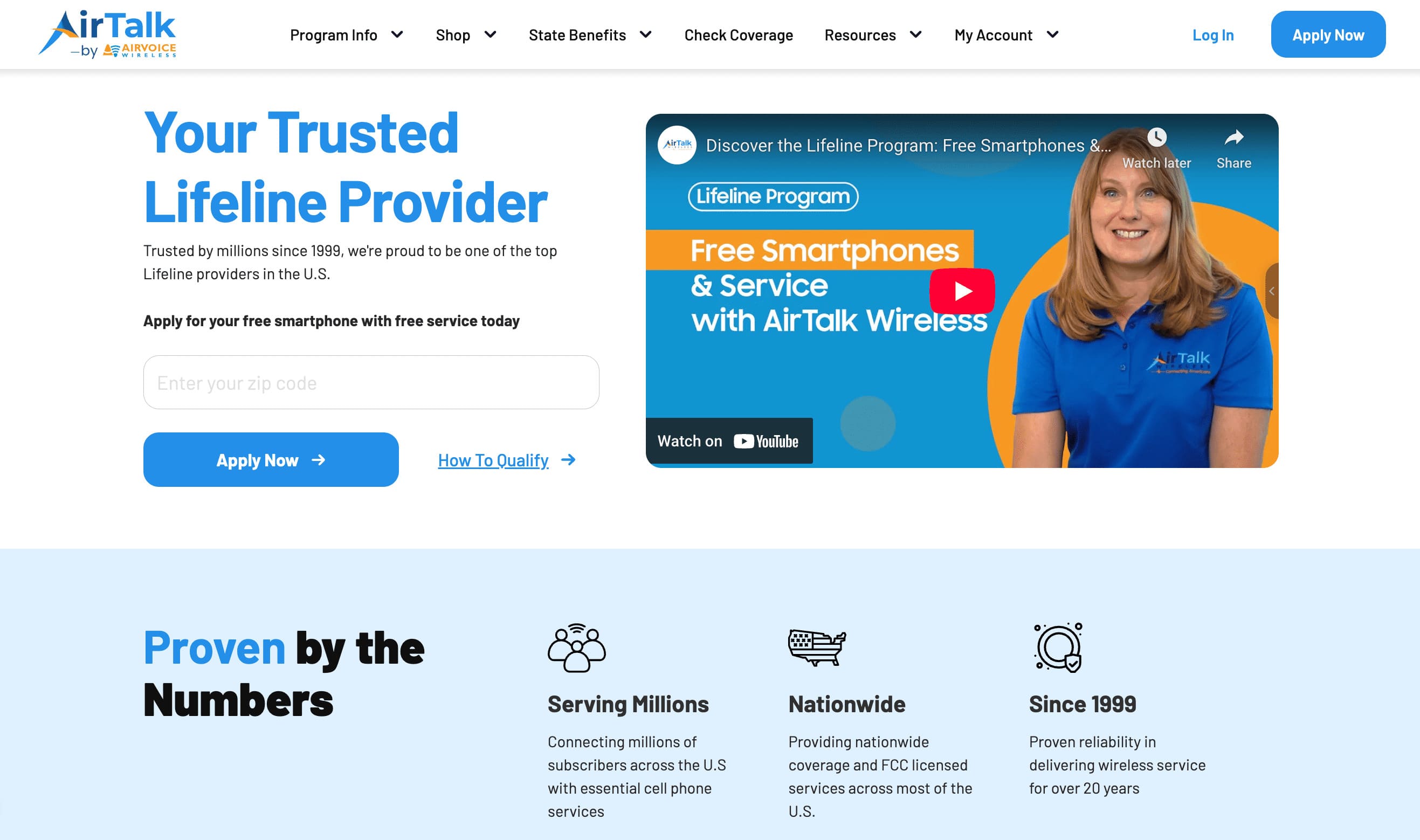
Once approved, eligible applicants may be able to choose between keeping a compatible phone through Bring Your Own Device support or selecting from available smartphone offers depending on current inventory.
Many newer devices now support both physical SIM cards and eSIM activation, making setup much more flexible compared to older iPhones like the 6s.
After the phone or service is activated, the line can usually be managed digitally through carrier apps, online accounts, or standard SIM setup depending on the device type and supported activation method.
6. FAQS
Will the iPhone 6s SIM Fit the iPhone 13?
Yes. Both phones use a nano-SIM card size, so the physical SIM itself can fit into the iPhone 13 SIM tray. However, carrier activation requirements may still vary.
Can You Use eSIM on iPhone 6s?
No. The iPhone 6s does not support built-in eSIM functionality because it was released before Apple introduced eSIM hardware.
Does the iPhone 6s Have Dual SIM Support?
No. The iPhone 6s only supports one physical nano-SIM card at a time.
Can a Damaged SIM Card Cause “No Service” Errors?
Yes. Scratched, bent, or worn SIM cards can prevent proper carrier detection and may trigger intermittent signal problems.
7. Conclusion
The iPhone 6s still works with traditional nano-SIM service, but it belongs to an older generation built before Apple introduced eSIM and newer dual-line features. While the phone can still handle basic calls, texts, and LTE connectivity, newer iPhones offer much more flexibility for carrier switching, travel setup, and digital activation.
Knowing the correct iPhone 6s SIM card size helps avoid activation issues and SIM compatibility problems, especially when moving service between devices. At the same time, upgrading to a newer iPhone opens access to features like eSIM support, longer software updates, and easier network management overall.