Trying to activate a modern carrier plan on an older iPhone can quickly raise compatibility questions, especially now that more providers support digital SIM activation instead of physical SIM cards.
Does iPhone 7 Plus have eSIM? Surprisingly, this remains common question in 2026 although many higher-model options have been released.
1. Does iPhone 7 Plus Have eSIM?
The iPhone 7 Plus was released during a period when Apple still relied completely on traditional physical SIM cards for cellular activation. At that time, eSIM technology had not yet become part of the iPhone lineup.
Because of that, the iPhone 7 Plus does not support built-in eSIM functionality and only works with a physical nano-SIM card inserted into the SIM tray.
Another fact is the iPhone 7 Plus can still handle regular nano-SIM service.
2. Why iPhone 7 Plus Doesn’t Support eSIM
Apple introduced eSIM later as carriers gradually moved toward digital activation and dual SIM functionality. The iPhone 7 Plus arrived before that transition started.
A common follow-up question is: “How do I activate eSIM on my iPhone 7?” Unfortunately, there is no official way to enable true eSIM support on the device because the required hardware does not exist inside the phone itself.
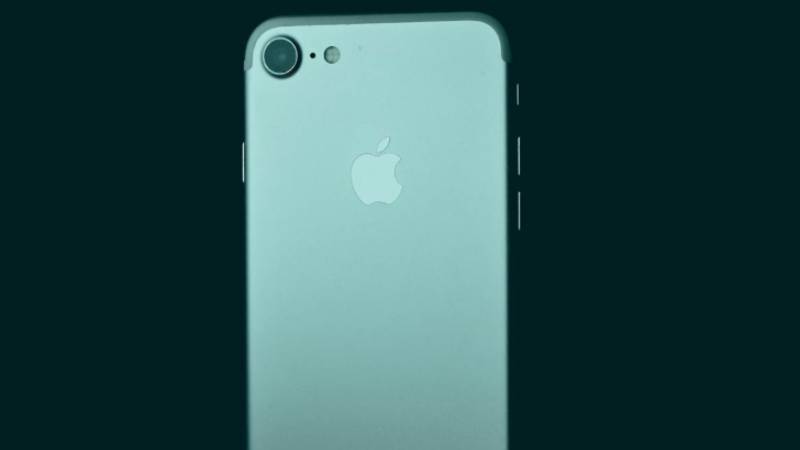
Released Before Apple Added eSIM Hardware
eSIM requires a dedicated embedded SIM chip built directly into the phone’s internal hardware.
The iPhone 7 Plus does not include:
- Embedded SIM hardware
- Digital carrier profile storage
- Native eSIM activation support
That is why software updates alone cannot add eSIM compatibility later.
Comparison with iPhone XS and Later
Apple first introduced eSIM support starting with:
- iPhone XS
- iPhone XS Max
- iPhone XR
Those models added dual SIM capability through:
- One physical nano-SIM
- One built-in eSIM
Every iPhone generation before that, including the iPhone 7 Plus, still depended entirely on removable SIM cards.
3. Can iPhone 7 Plus Use eSIM in Any Way?
Many people look for unofficial workarounds after discovering the iPhone 7 Plus does not support native eSIM activation. In practice, though, reliable eSIM functionality is not realistically available on this device.
Why Software Workarounds Don’t Work
Apps, configuration tricks, or software updates cannot create true eSIM support if the phone lacks the required hardware internally.
Even if certain apps claim to “enable eSIM,” the iPhone 7 Plus still cannot:
- Store digital carrier profiles
- Activate embedded SIM service
- Support dual SIM through eSIM
Without the embedded chip, genuine eSIM activation is impossible.
What to Avoid: Fake “eSIM Adapter” Tools
Some third-party accessories claim to add eSIM support externally, but many create reliability and security problems.
Potential risks may include:
- Unstable cellular connections
- Carrier compatibility issues
- SIM detection failures
- Battery drain
- Security concerns
In many cases, these adapters work inconsistently or stop functioning after software updates.
4. Benefits of eSIM on Newer iPhones
Even though the iPhone 7 Plus cannot support eSIM, newer iPhones offer several advantages through digital carrier activation.
Instant Activation Without a Store Visit
eSIM allows many carriers to activate service digitally within minutes.
Through Wi-Fi and carrier apps, instead of waiting for a physical SIM card shipment, compatible phones can often:
- Download the plan directly
- Activate immediately
- Switch carriers remotely
Dual-Line Setup for Work and Personal Use
Modern iPhones with eSIM can manage two phone numbers simultaneously. You can change your eSIM profile to suit different needs:
- Work and personal lines
- Travel plans
- Backup carriers
- Separate business numbers
Easier Switching Between Carriers
eSIM also simplifies carrier switching because plans can transfer digitally instead of requiring physical SIM swaps.
That flexibility becomes especially useful for:
- Frequent travelers
- Prepaid users
- Temporary data plans
- Testing different carrier coverage options
Read more: How to Unlock a Locked SIM Card Quickly (What to Do Right Now)
5. Affordable Ways to Upgrade Your Phone and Plan
The iPhone 7 Plus can still handle basic tasks, but missing features like eSIM support make newer carrier setups much more limited.
Upgrading does not always mean paying flagship prices, though. Several lower-cost paths now make moving to an eSIM-compatible phone much more realistic.
Trade-In or Refurbished iPhones
One option is moving to a refurbished iPhone model that already supports eSIM.
These devices often cost far less than brand-new flagship phones while still supporting:
- eSIM activation
- Dual SIM functionality
- Modern carrier compatibility
- Better long-term iOS support
Trade-in programs may also help reduce upgrade costs depending on the device condition and retailer.
Government Assistance Programs Like Lifeline
Some qualifying households may also reduce wireless costs through federal assistance programs like Lifeline.
Lifeline helps eligible low-income households access more affordable communication services through participating providers.
Depending on eligibility and availability, support may include:
- Monthly talk
- Text messaging
- Mobile data
- Compatible nationwide coverage
- Smartphone offers on supported plans
Because many newer phones now support eSIM, upgrading through compatible Lifeline-supported providers may also open access to digital activation features unavailable on the iPhone 7 Plus.
6. How to Get a Free or Discounted Smartphone & eSIM (Step-by-Step)
Participating Lifeline providers like AirTalk Wireless may offer compatible smartphones and lower-cost service options for eligible households.
Many newer devices available through supported plans already include eSIM compatibility, which can simplify activation significantly compared to older phones that only support physical SIM cards.
The process usually starts online and typically involves:
- Entering a ZIP code to check local availability
- Selecting a compatible device with a plan, or Bring Your Own Device option
- Uploading proof of eligibility if verification is requested
- Completing the online application
- Activating service after approval
Eligibility may be based on participation in qualifying government assistance programs such as Medicaid, SNAP, Supplemental Security Income (SSI), Federal Public Housing Assistance (FPHA), or Veterans Pension and Survivors Pension benefits.
Some households may also qualify through income-based eligibility if their household income meets the applicable program guidelines.
Depending on inventory availability, qualifying applicants may receive access to newer smartphones that support:
- eSIM activation
- Dual SIM functionality
- Faster digital carrier setup
- Improved network compatibility
7. FAQS
Can the iPhone 7 Plus Still Work on Modern Networks?
Yes. Many carriers still support the iPhone 7 Plus through LTE networks using a physical nano-SIM card.
Does eSIM Improve Signal Strength?
No. eSIM mainly changes how the carrier plan activates. Signal quality still depends more on network coverage and the phone’s hardware.
Can I Move My Existing Number to a New eSIM iPhone?
Yes. Most carriers allow number transfers from older physical SIM devices to newer eSIM-compatible iPhones.
Is It Worth Upgrading from iPhone 7 Plus in 2026?
That depends on daily usage, but newer iPhones offer longer software support, better battery life, improved cameras, dual SIM functionality, and eSIM compatibility that the iPhone 7 Plus cannot support.
8. Conclusion
The iPhone 7 Plus comes from the final stretch of iPhones that depended entirely on physical nano-SIM cards before Apple moved toward digital SIM technology. While the phone still supports regular carrier service well, newer activation methods now revolve much more around eSIM compatibility and dual-line flexibility.
Understanding does iPhone 7 Plus have eSIM helps set realistic expectations before switching carriers or trying to activate newer plans. Anyone wanting faster digital setup, easier travel connectivity, or modern dual SIM features will generally need a newer iPhone model with built-in eSIM support.