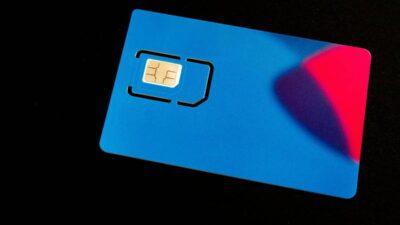
If you want to unlock SIM card on your phone, it usually means your device is restricted to a specific carrier and cannot use other networks. This can become a problem when switching providers or traveling abroad.
In this guide, you will learn why SIM locks exist, how to unlock your SIM card safely, and what steps to take to get full access to different networks and plans.
1. Why Do You Need to Unlock SIM Card?
To unlock SIM card means removing the restriction that limits your phone to a single carrier. This gives you more control over how you use your device and which network you connect to.

Here are the main reasons why unlocking is important:
Freedom to Choose Your Carrier
When your SIM is locked, you are tied to one provider.
After unlocking:
- You can switch to any compatible carrier
- You are not forced to stay with the original network
- You can choose better coverage or pricing
This gives you full flexibility to use your phone the way you want.
Use Your Phone Abroad
A locked phone can cause problems when traveling.
If you unlock your SIM:
- You can use local SIM cards in other countries
- You avoid high roaming charges
- You get better signal and local data plans
This makes your phone much more practical for international use.
Use Better Plans and Services
Unlocking allows you to compare and choose plans more freely.
You can:
- Move to lower-cost plans
- Access better data packages
- Try providers with stronger coverage
Without unlocking, you may be stuck with a plan that does not fit your needs.
2. How to Unlock Your SIM Card
If your phone is locked, there are several ways to unlock it. The best method depends on your carrier and device status.
Contact Your Carrier for Unlocking
The safest and most reliable method is to request unlocking directly from your carrier.
Typically:
- You submit an unlock request
- The carrier checks your account status
- If approved, the unlock is processed remotely
Once completed:
- Your phone can accept SIM cards from other networks
- You gain full access to different carriers
Meet Eligibility Requirements
Before your carrier unlocks your phone, you must meet certain conditions.
Common requirements include:
- The phone is fully paid off
- Your account is active and in good standing
- A minimum usage period has been completed
If these are not met, your request may be denied or delayed.
Checking eligibility first helps avoid unnecessary issues.
Use Third-Party Unlocking Services
If your carrier cannot unlock your device, you may consider third-party services.
These services:
- Claim to unlock phones remotely
- Work across different carriers
However, there are risks:
- Some services are unreliable
- Results are not guaranteed
- Costs can be high
If you choose this option:
- Use only trusted providers
- Avoid sharing sensitive personal information
- Be cautious of offers that seem too quick or cheap
In most cases, unlocking through your carrier remains the safest and most effective approach.
3. How Long Does It Take to Unlock a SIM Card?
The time it takes to unlock SIM card depends on your carrier, your device status, and whether you meet the required conditions.
In most cases:
- Carrier unlocking can take anywhere from a few hours to a few business days
- Some carriers process requests instantly if your device is already eligible
- Others may require manual review, which can take longer
Factors that affect timing:
- Whether your phone is fully paid off
- Your account status and history
- Carrier policies and processing speed
After approval:
- The unlock is usually done remotely
- You may need to restart your phone or insert a new SIM to complete the process
If everything is in order, unlocking is typically quick and does not require technical steps on your side.
4. What to Do if Your SIM Card Is Locked and You Can’t Unlock It?
If you cannot unlock SIM card through your carrier, you still have a few options depending on your situation.
Here are the most practical alternatives:
- Continue using your current carrier: If unlocking is not possible yet, you can keep using your existing SIM and plan until you meet the requirements.
- Wait until your device becomes eligible: Many restrictions are temporary. Once your contract is complete or your phone is paid off, you can request unlocking again.
- Use another compatible phone: Switching to a phone that is already unlocked allows you to use different SIM cards immediately.
- Choose a flexible service provider: Providers like AirTalk Wireless can help simplify your setup by offering:
- SIM or eSIM options depending on your device
- Free or low-cost plans through Lifeline (if eligible)
- Support for bringing your own device
- Consider third-party unlocking (with caution): If no official option is available, you may explore third-party services, but only from trusted sources.
Understanding your options helps you stay connected even if unlocking is not immediately available.
Read more: Step-by-Step Guide: Best Free Government eSIM for iPhone
5. How to Avoid SIM Locking Issues in the Future
If you have dealt with restrictions before, taking a few preventive steps can help you avoid needing to unlock SIM card again in the future. The goal is to keep your phone flexible so you can switch networks without limitations.
Buy Unlocked Phones
One of the easiest ways to avoid SIM lock issues is to choose an unlocked device from the start.
With an unlocked phone:
- You can use SIM cards from different carriers
- You are not tied to a contract or network
- You can switch providers anytime
Unlocked phones give you long-term flexibility and reduce the need for additional unlocking steps later.
Choose Flexible Service Plans
Your service plan plays a major role in whether you will need to unlock SIM card later.
To avoid restrictions:
- Choose carriers that do not require long-term contracts
- Avoid installment plans that keep your phone locked until fully paid
- Look for providers that support BYOD (bring your own device)
A better approach is using providers connected to the Lifeline program.
Lifeline is a federal assistance program in the United States that helps eligible users get free or low-cost phone service. Instead of locking devices into contracts, Lifeline-supported providers focus on accessibility and flexibility.
For example, AirTalk Wireless, a Lifeline-supported provider, offers:
- Free or low-cost monthly plans if you qualify
- Support for using your own unlocked phone
- SIM or eSIM options depending on your device
- No long-term contracts that lock your device
This means:
- You can stay connected without being tied to one carrier
- You reduce the risk of dealing with SIM lock issues in the future
- You keep full control over your device and service
Choosing a Lifeline-supported provider is one of the easiest ways to avoid SIM restrictions while maintaining reliable service.
6. FAQs
Can I unlock my SIM card myself?
In most cases, no. To unlock SIM card, you need approval from your carrier because the restriction is applied at the network level. Some third-party tools exist, but they are not always reliable or safe.
What does it mean to unlock your SIM card?
Unlocking your SIM card means removing the carrier restriction on your phone so it can accept SIM cards from different networks. Once unlocked, your device becomes more flexible for switching carriers.
How do I turn the SIM lock off?
You cannot manually turn off a SIM lock in Settings. You need to request an unlock from your carrier, and once approved, the restriction is removed automatically.
7. Conclusion
Choosing to unlock SIM card is about gaining control over how you use your phone. Instead of being tied to one carrier, you can move freely between networks and select plans that better match your needs.
By using an unlocked device and selecting flexible service options, you can avoid SIM lock issues and keep your phone ready for any network in the future.